16
Basics
Keyboard
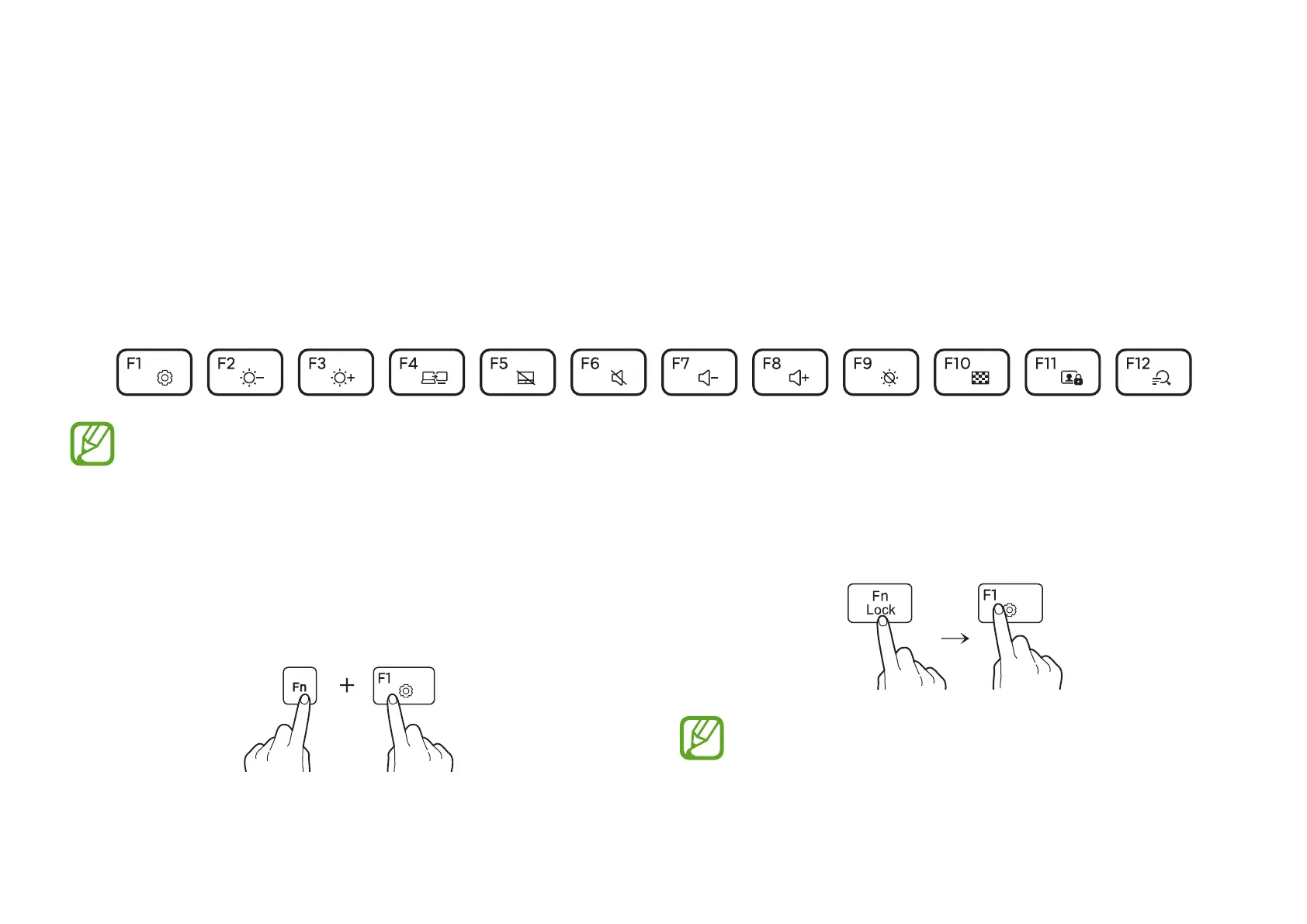
Enter text or access computer functions with the keyboard.
•
Images and available features may differ depending on the model and operating system.
•
The keyboard layout may differ depending on the country.
•
Press the
Fn Lock
key and a hot key.
When the
Fn Lock
key is on, hot keys are activated without
pressing the
Fn
key.
Using hot keys
To use keyboard hot keys, do one of the following:
•
Press and hold the
Fn
key and press a hot key.



 To Next Page
 Loading...