GB-11
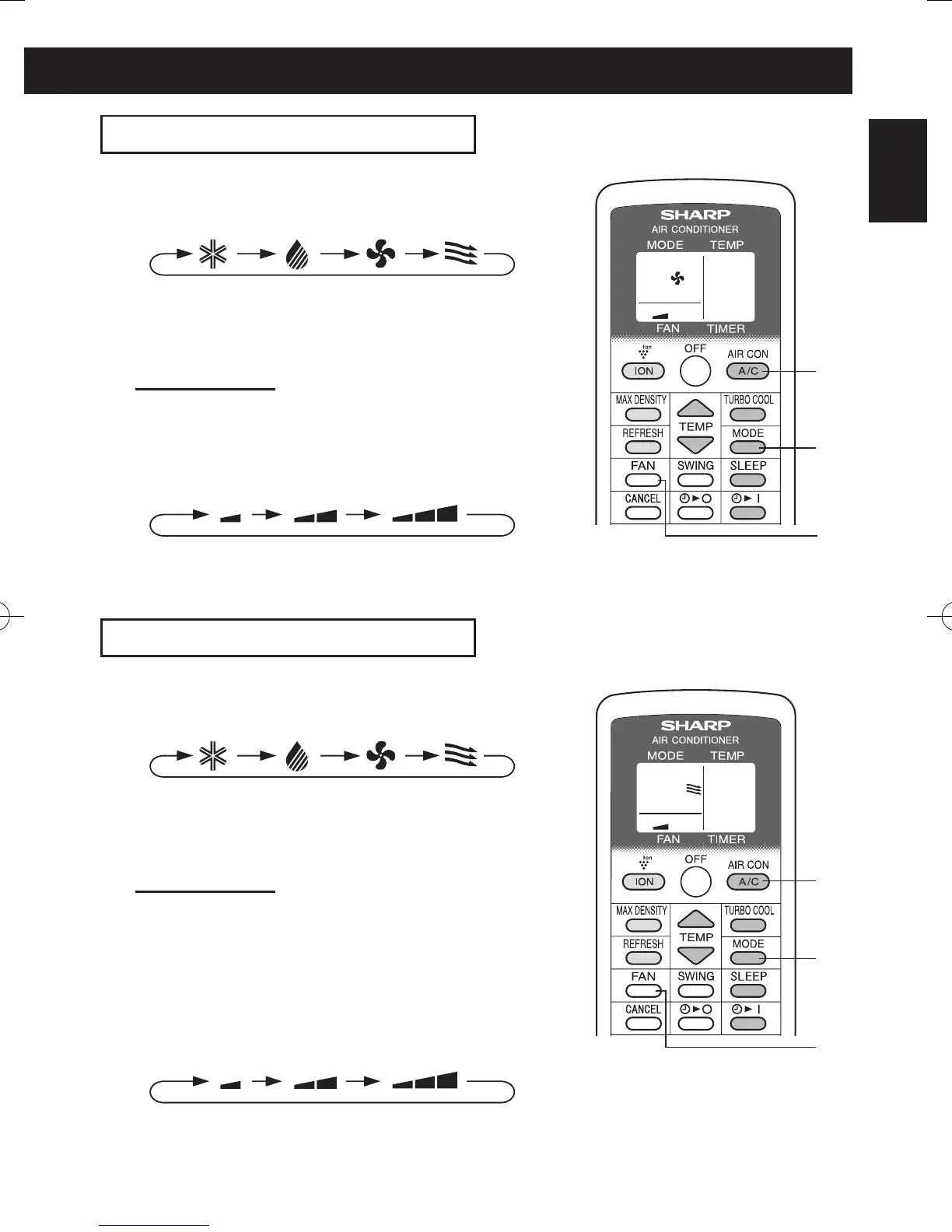
FAN MODE
The unit simply circulates the air.
1
Press the MODE button to select FAN mode.
COOL DRY FAN VENT
2
Press the A/C button to start operation.
• The green AIR CON lamp will light.
• The temperature cannot be set.
TO TURN OFF
Press the OFF button.
• The green AIR CON lamp will turn off.
3
Press the FAN button to set fan speed.
SOFT LOW HIGH
VENTILATION MODE
The unit ventilates the air to outdoors.
1
Press the MODE button to select VENT mode.
COOL DRY FAN VENT
2
Press the A/C button to start operation.
• The green AIR CON lamp will light.
• The temperature cannot be set.
TO TURN OFF
Press the OFF button.
• The green AIR CON lamp will turn off.
3
Press the FAN button to set fan speed.
• Although the louvers are closed and no air blows
out into the room, the external ventilation fan speed
changes.
SOFT LOW HIGH
2
1
3
2
1
3
01_CV-P10PR_OM_EN.indd 11 14/08/29 16:42


 To Next Page
 Loading...