GB
11
Charging the battery pack
1
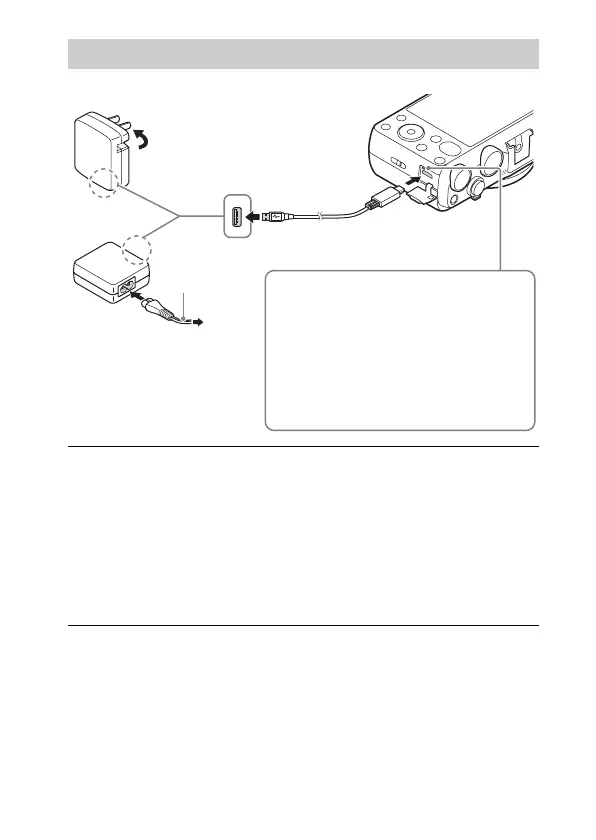
Connect the camera to the AC Adaptor (supplied),
using the micro USB cable (supplied).
2
Connect the AC Adaptor to the wall outlet (wall socket).
The charge lamp lights orange, and charging starts.
• Turn off the camera while charging the battery.
• You can charge the battery pack even when it is partially charged.
• When the charge lamp flashes and charging is not finished, remove and
re-insert the battery pack.
Power cord
(Mains lead)
For customers in the USA and Canada
For customers in countries/
regions other than the USA
and Canada
Charge lamp
Lit: Charging
Off: Charging finished
Flashing:
Charging error or charging paused
temporarily because the camera is not
within the proper temperature range



 To Next Page
 Loading...