GB
8
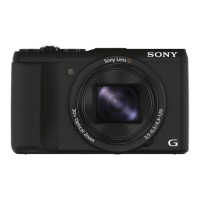
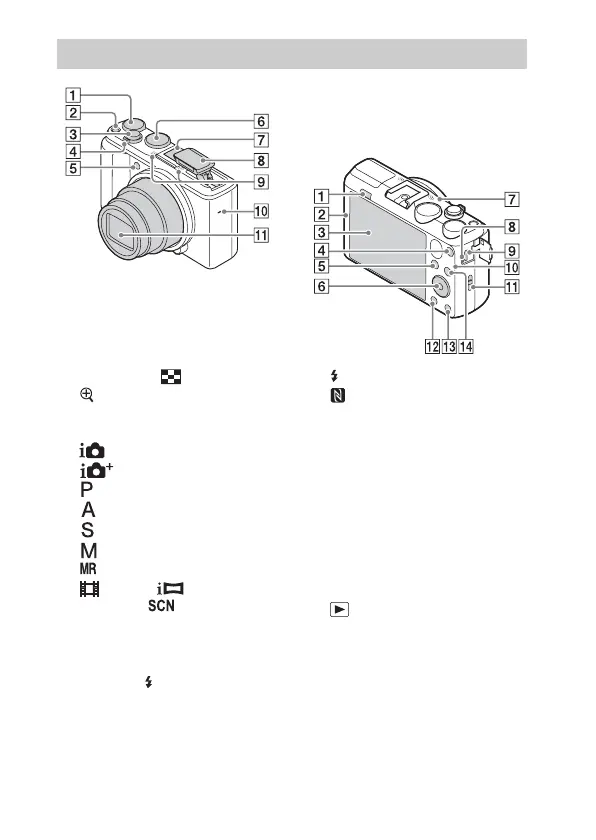
A Exposure compensation dial
B ON/OFF (Power) button
C Shutter button
D For shooting: W/T (zoom) lever
For viewing: (Index) lever/
(Playback zoom) lever
E Self-timer lamp/AF illuminator
F Mode dial
(Intelligent Auto)/
(Superior Auto)/
(Program Auto)/
(Aperture Priority)/
(Shutter Priority)/
(Manual Exposure)/
(Memory recall)/
(Movie)/ (iSweep
Panorama)/ (Scene
Selection)
G Multi interface shoe*
H Flash
• Press the (Flash pop-up)
button to use the flash. The flash
does not pop up automatically.
• When not using the flash, press it
back into the camera body.
I Microphone
J Speaker
K Lens
A (Flash pop-up) button
B (N Mark)
• Touch the mark when you
connect the camera to a
smartphone equipped with the
NFC function.
• NFC (Near Field
Communication) is an
international standard of the
short-range wireless
communication technology.
C LCD screen
D MOVIE (Movie) button
E (Playback) button
F Control wheel
G GPS receiver (built-in, DSC-
HX60V only)
H Charge lamp
I Multi/Micro USB Terminal*
• Supports Micro USB compatible
device.
J Wi-Fi sensor (built-in)
K Hook for Wrist Strap
Identifying parts



 To Next Page
 Loading...