MULTI CHANNEL AV RECEIVER
STR-DN1050/STR-DN850
Connecting a TV (for STR-DN850)
Connect a TV to the HDMI TV OUT or MONITOR OUT jack. You can operate this receiver using a GUI (Graphical User
Interface). GUI is used only for HDMI TV OUT.
Be sure to disconnect the AC power cord (mains lead) before connecting cables.
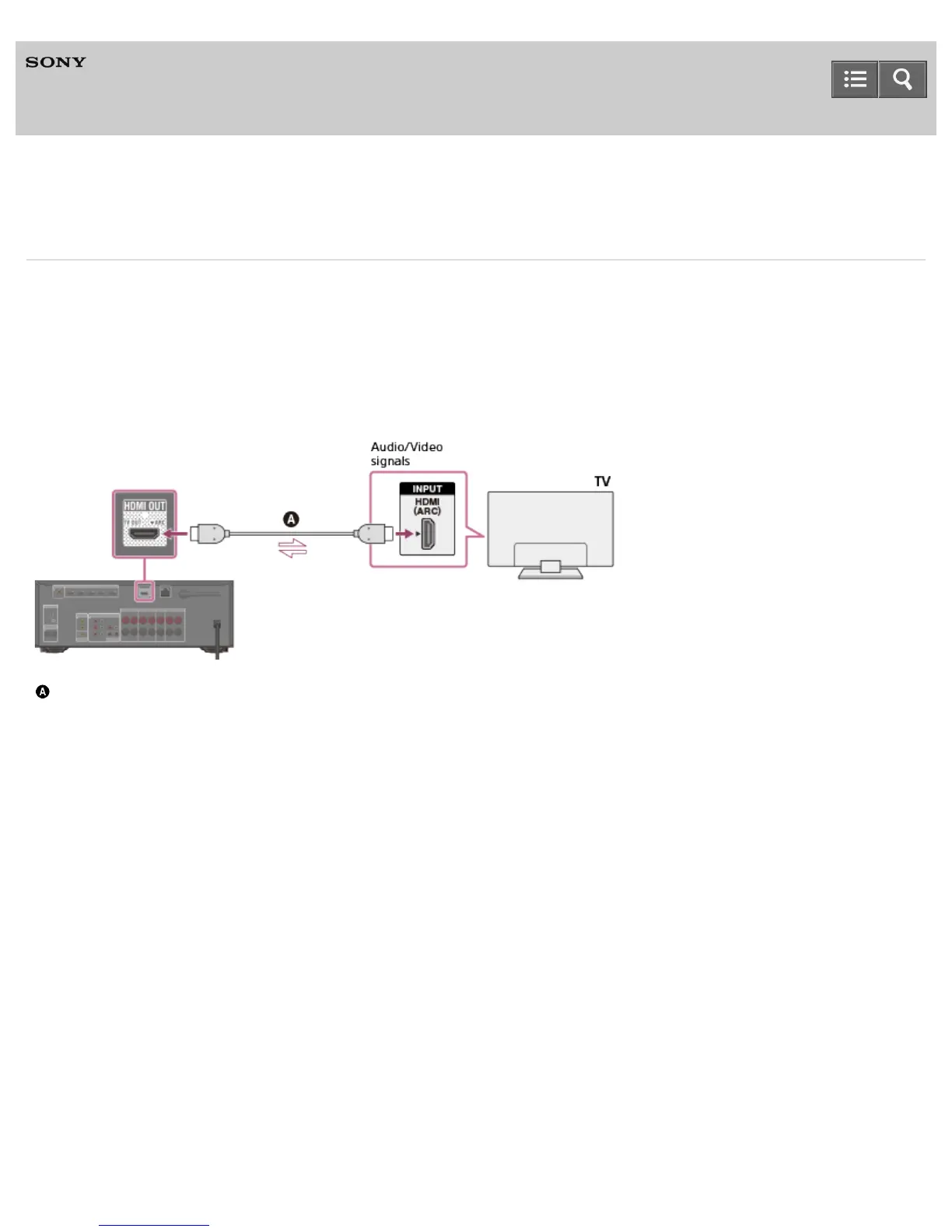
Connecting a TV compatible with the Audio Return Channel (ARC) function via an HDMI
connection
HDMI cable (not supplied)
Sony recommends that you use an HDMI-authorized cable or HDMI cable made by Sony.
Connecting a TV incompatible with the Audio Return Channel (ARC) function via an HDMI
connection
The solid lines show recommended connections and the dashed lines show alternative connections.
Help Guide


 To Next Page
 Loading...











