Help Guide
Wireless Noise Canceling Stereo Headset
WF-SP700N
Checking the remaining battery charge
You can check the remaining battery charge of the rechargeable battery.
The indicator (red) flashes when the connection between the left unit and the right unit is established.
You also hear voice guidance of the remaining battery charge.
The indicator (red) flashes according to the remaining battery charge as follows.
Flashes 3 times
- - - - : High “Battery level high”
Flashes 2 times
- - : Medium “Battery level medium”
Flashes 1 time
: Low (needs to charge) “Battery level low”
When the battery is almost empty
The indicator turns red. When the battery becomes empty, the headset sounds a warning beep, you hear voice guidance
“Please recharge headset”, and the headset turns off automatically.
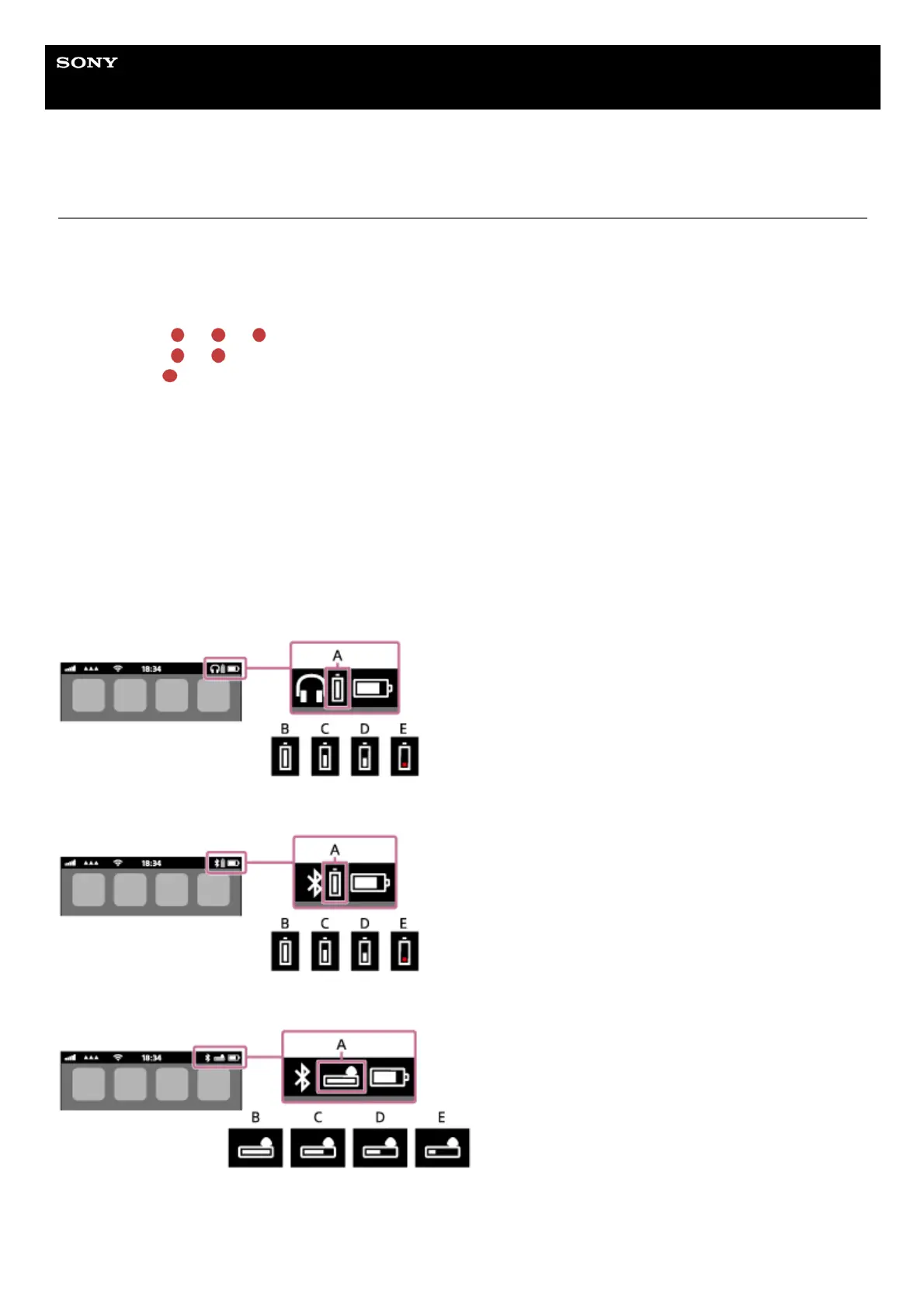
When you are using an iPhone or iPod touch
When the headset is connected to an iPhone or iPod touch (iOS) that supports HFP (Hands-free Profile ), it will show an
icon that indicates the remaining battery charge of the headset on the screen.
Usable devices
iPhone or iPod touch which supports HFP (Hands-free Profile) (iOS 5.0 or later)
iOS 10.2 or later
iOS 7.0 or later
iOS 5.X/6.X
A: Remaining battery charge of the headset
B: 100% to 70%
C: 70% to 50%
D: 50% to 20%



 To Next Page
 Loading...