Help Guide
Wireless Noise Canceling Stereo Headset
WF-SP700N
Turning off the headset
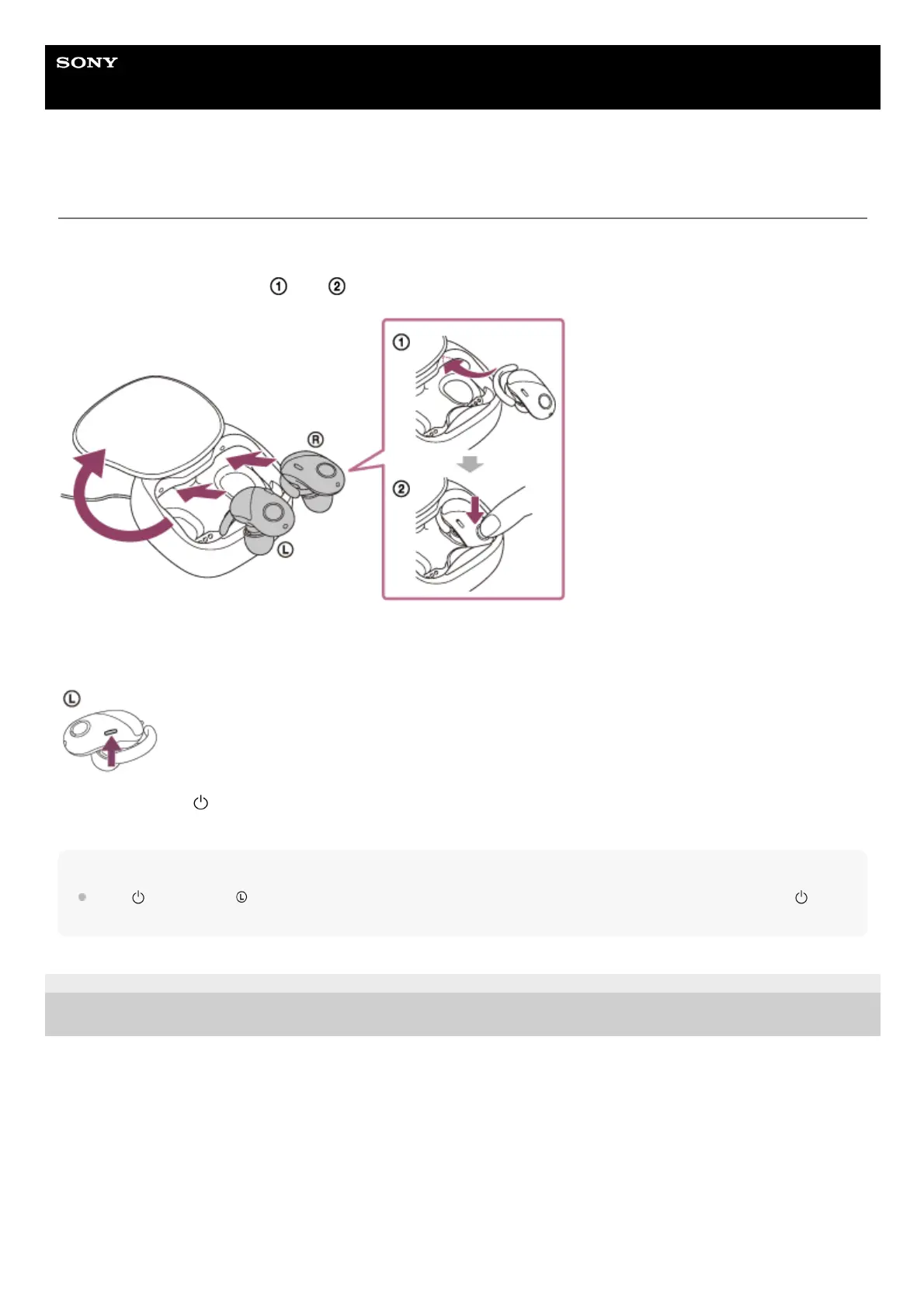
Setting the headset into the charging case
The headset turns off automatically, then the indicator (red) lights up and charging starts.
Set the headset in the order of
and shown in the illustration.
Pressing and holding the button of the headset
You can turn off the headset by operating the button of the headset when the headset is not set on the charging case.
Press and hold the button on the left unit for about 2 seconds until the indicator (blue) flashes. The left unit and right
unit turn off.
Note
If the
button on the left unit is set as the Google Assistant button, the headset cannot be turned off by using the
button. Set the headset into the charging case to turn it off.
4-730-308-11(4) Copyright 2018 Sony Corporation



 To Next Page
 Loading...