38
2-2. Connectivity settings
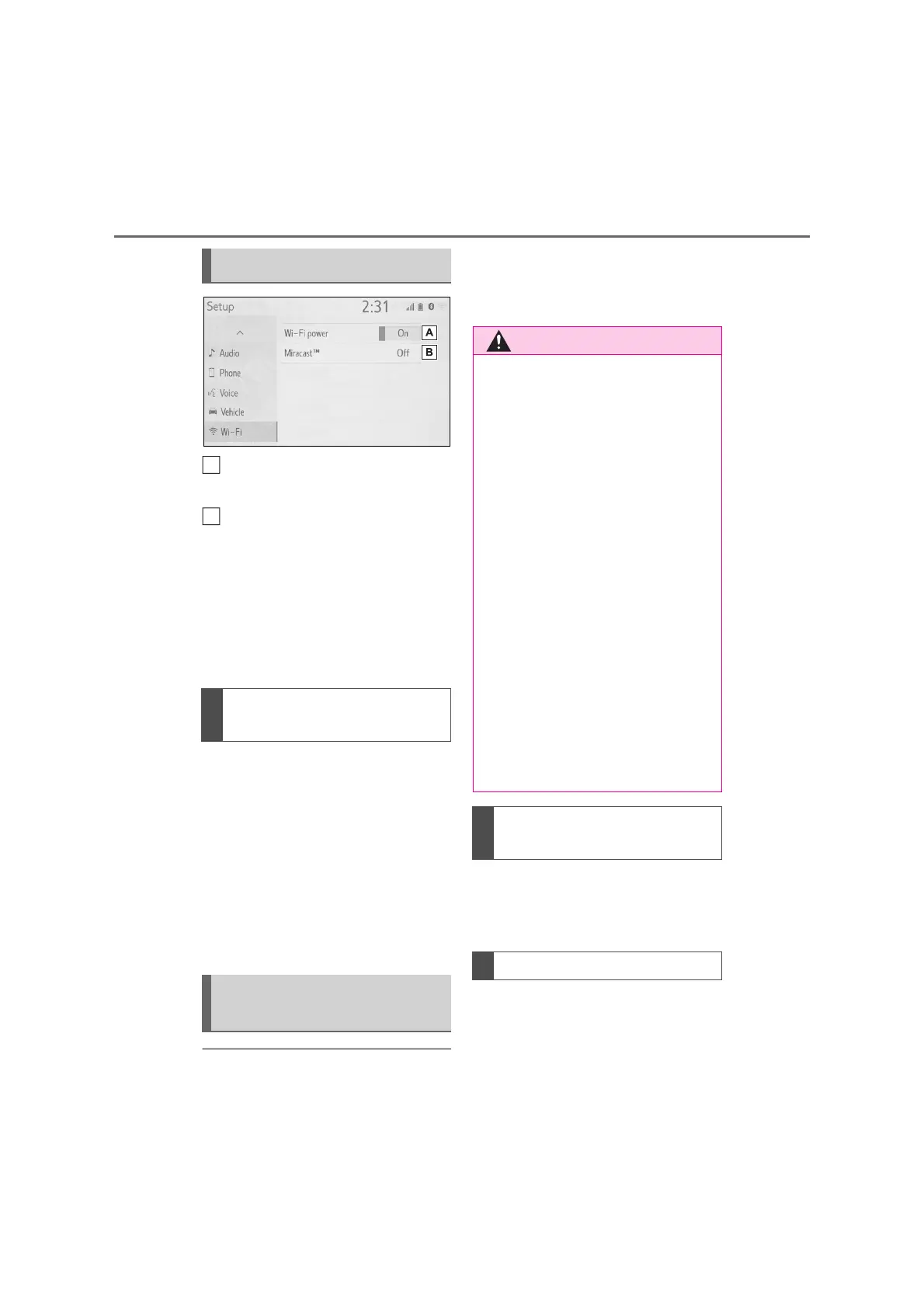
Select to turn the Wi-Fi
®
func-
tion on/off. (P.38)
Displays status of the Miracast
®
connection.
*
“On”: Connecting
“Off”: Not connecting
*
: Miracast
®
status should be dis-
played only for Miracast
®
supported
models.
1 Display the Wi-Fi
®
settings
screen. (P.37)
2 Select “Wi-Fi
*
power”.
Each time “Wi-Fi
*
power” is
selected, the Wi-Fi
®
function is
turned on/off.
*
:Wi-Fi
®
is a registered trademark of
Wi-Fi Alliance
®
.
● If the vehicle is near a radio antenna,
radio station or other source of strong
radio waves and electrical noise, com-
munication may be slow or impossi-
ble.
Reception level appears on the
right upper side of the screen.
(P.11)
Communication standards
IEEE 802.11g
Security
Wi-Fi
®
settings screen
Turning Wi-Fi
®
function
on/off
Wi-Fi
®
function operating
hints
A
● Use Wi-Fi
®
devices only when safe
and legal to do so.
● Your audio unit is fitted with Wi-Fi
®
antennas. People with implantable
cardiac pacemakers, cardiac resyn-
chronization therapy-pacemakers
or implantable cardioverter defi-
brillators should maintain a reason-
able distance between themselves
and the Wi-Fi
®
antennas. The radio
waves may affect the operation of
such devices.
● Before using Wi-Fi
®
devices, users
of any electrical medical device
other than implantable cardiac
pacemakers, cardiac resynchroni-
zation therapy-pacemakers or
implantable cardioverter defi-
brillators should consult the manu-
facturer of the device for
information about its operation
under the influence of radio waves.
Radio waves could have unex-
pected effects on the operation of
such medical devices.
Conditions displayed with
Wi-Fi
®
icon
Specifications


 To Next Page
 Loading...




