Airplane mode Function
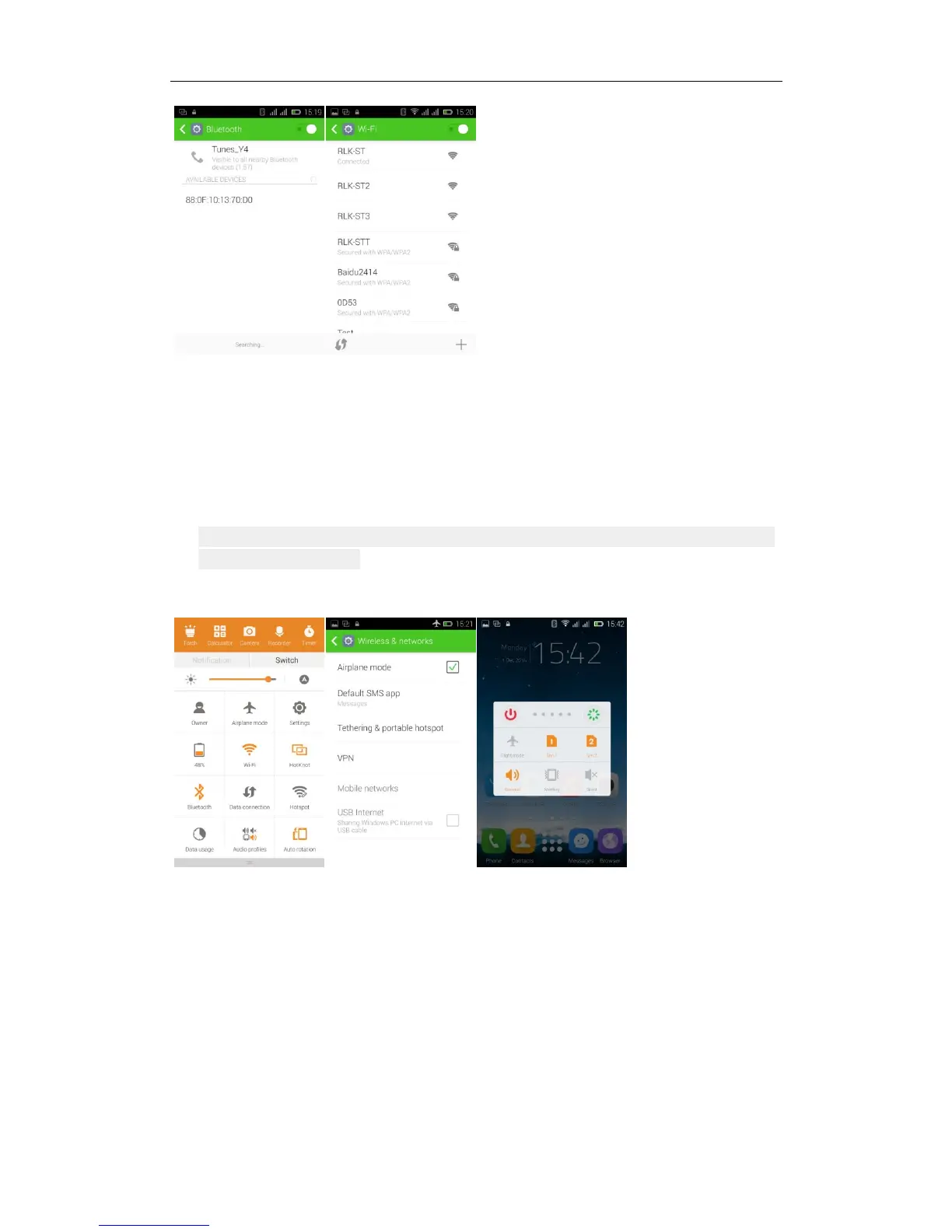
1. Open the drop-down status bar - choose "Switch" - click on the "Airplane
mode" - can open flight mode.
2. Or from setting function to choose wifi: from the main interface Settings to
enter - click "More..."- check the "Airpplane mode", which has been open
flight mode.
3
.
Or long press the power button - select the “the airplane Mode” function
The screen lock and unlock
From set into: Settings—select "security"—click "Screen lock" — choose to
apply your lock Screen.



 To Next Page
 Loading...