How Introduction
Introduction phone keys
Menu button: Click on the program and display the corresponding menu item,
the user can choose the corresponding sub-menu functions;
Home button: Click on the background into the current application and enter
the main interface; Note that using this key will not really exit the application,
the application will continue to run in the background;
Back button: Click to fall back to the previous step of application.
Introduction widgets
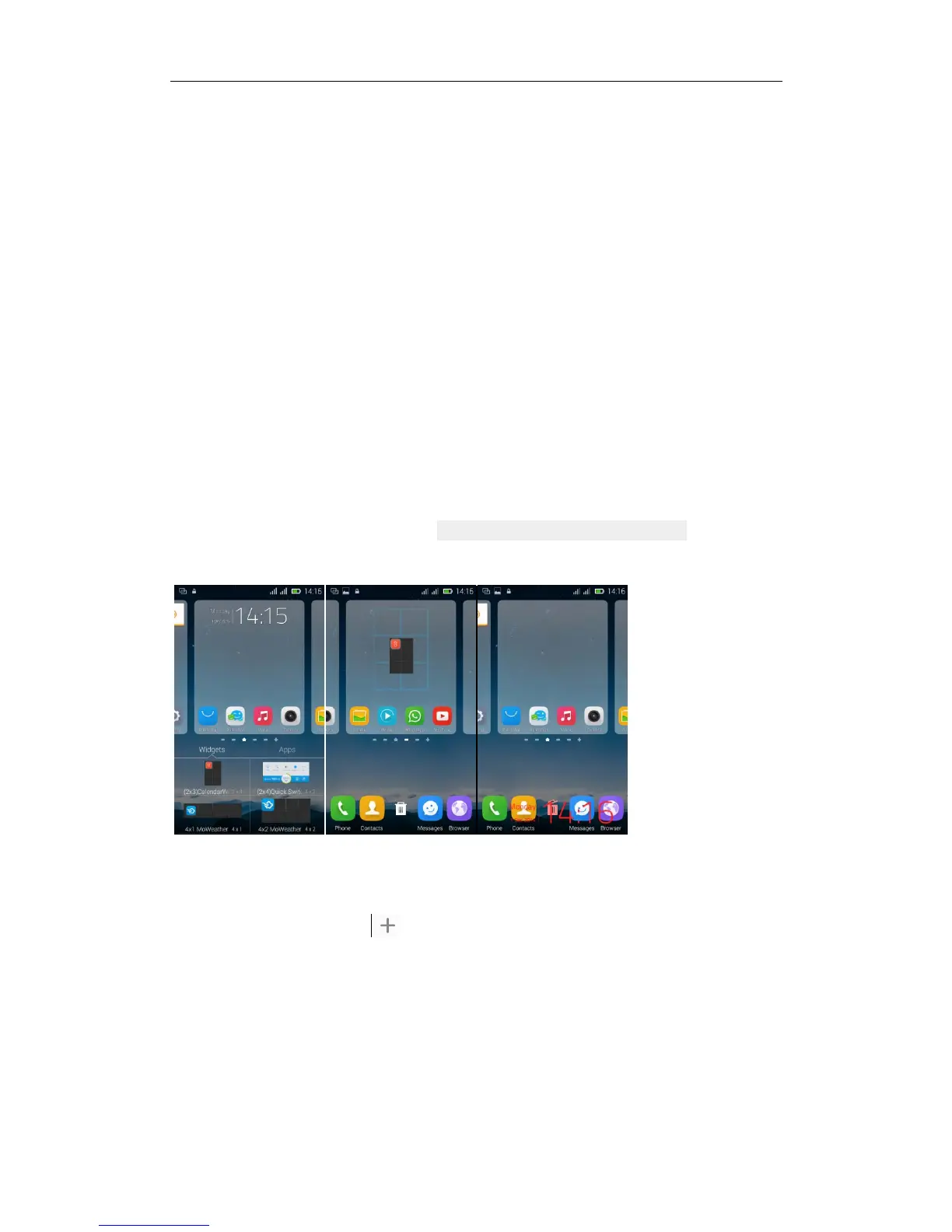
1. Add the widget to the home screen: the widget interface, long press a
widget, drag the widget to the main screen, which can add the widget to the
home screen.
2. Change the position of widgets: in the main interface--Long pressing a
widget, sliding the widget can change the position of it in the main screen
3. Delete widgets: in the main interface--Long pressing a widget, the button
of deletion will appear on the mid- the bottom of the home screen. of the main
screen. Slide the widget to cover the button. When they are red, let go of them.
Then the widget is deleted
Send MMS
New message--click "
” - >select the desired additional content;
New message--click the menu button--click the “add subject”



 To Next Page
 Loading...