3.3.2 In Windows Vista
Windows Vista users may use the built-in wireless utility. Follow the steps below.
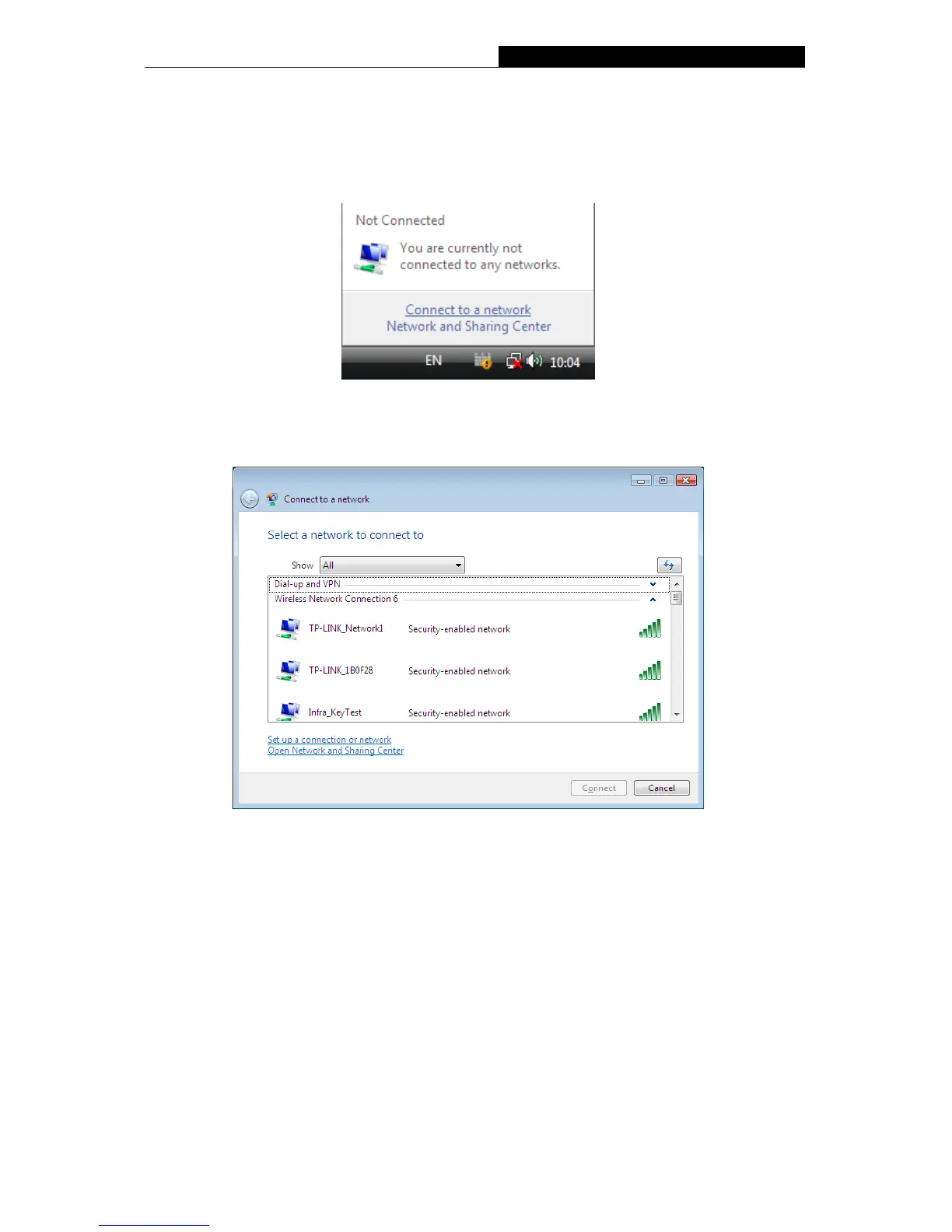
1. Open the wireless utility by right-clicking on the wireless computer icon in your system tray
as shown in the figure below. Select Connect to a network.
Figure 3-22
2. The utility will display any available wireless networks in your area. Highlight the wireless
network you would like to connect and then click Connect.
Figure 3-23
20


 To Next Page
 Loading...