Replace the pen nib
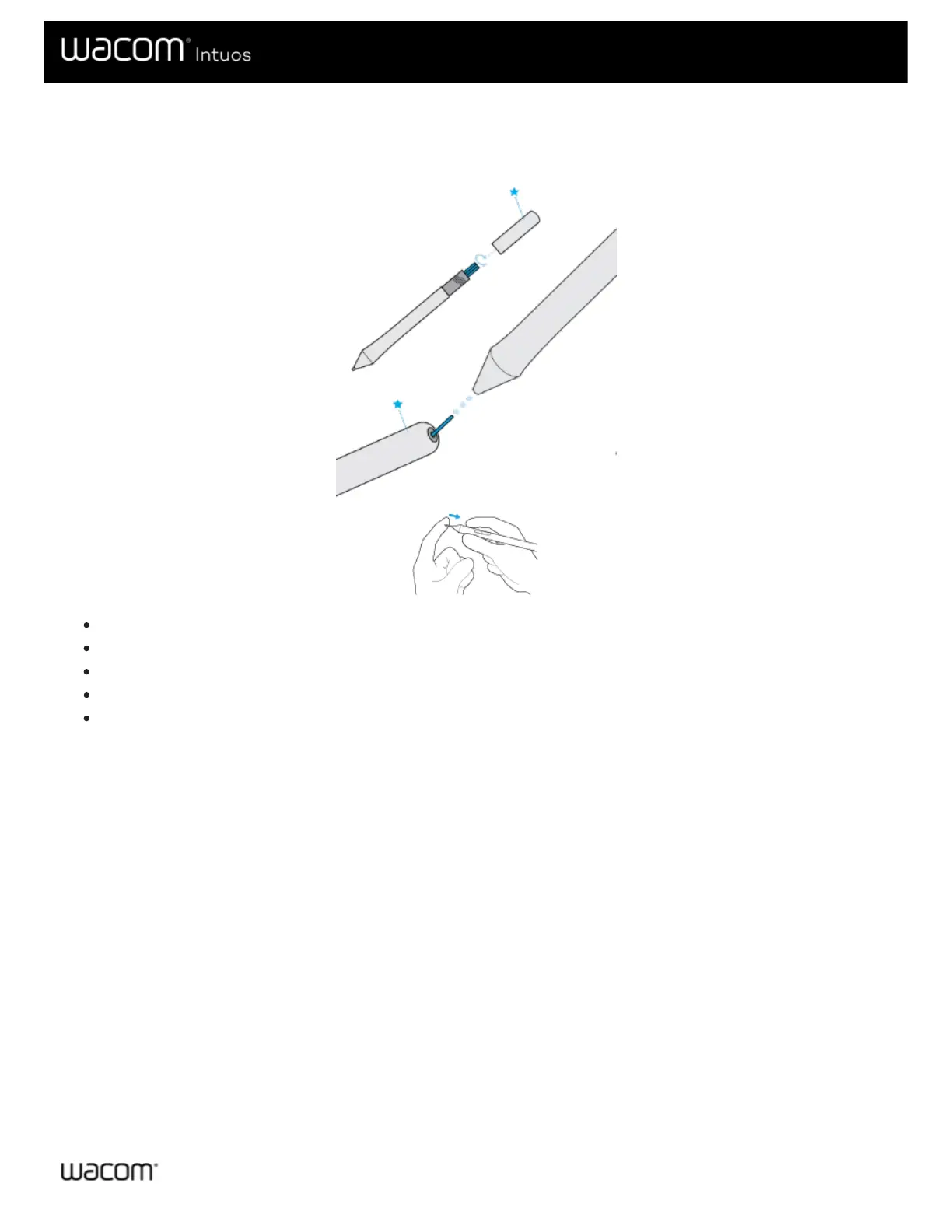
Extra pen nibs and a nib removal tool are provided in the end of the pen. Refer to the illustrations below for more detail:
Hold the pen in both hands, one near the end and the other near side buttons.
Gently twist the pen to reveal the extra nibs inside.
Use the back of the pen to remove your nib.
Replace the nib by sliding the end straight into the barel of the pen slowly and firmly until it stops.
Gently twist the pen end back on the pen when finished.
Do NOT attempt to remove the pen end by pulling it. Do NOT over-tighten the pen end.


 To Next Page
 Loading...