Home
Xblue Networks
Telephone
SP2014
Page 54 (Timeout)
Xblue Networks SP2014 - Timeout
61 pages
Manual
Save Page as PDF
To Next Page
To Next Page
To Previous Page
To Previous Page
Loading...
54
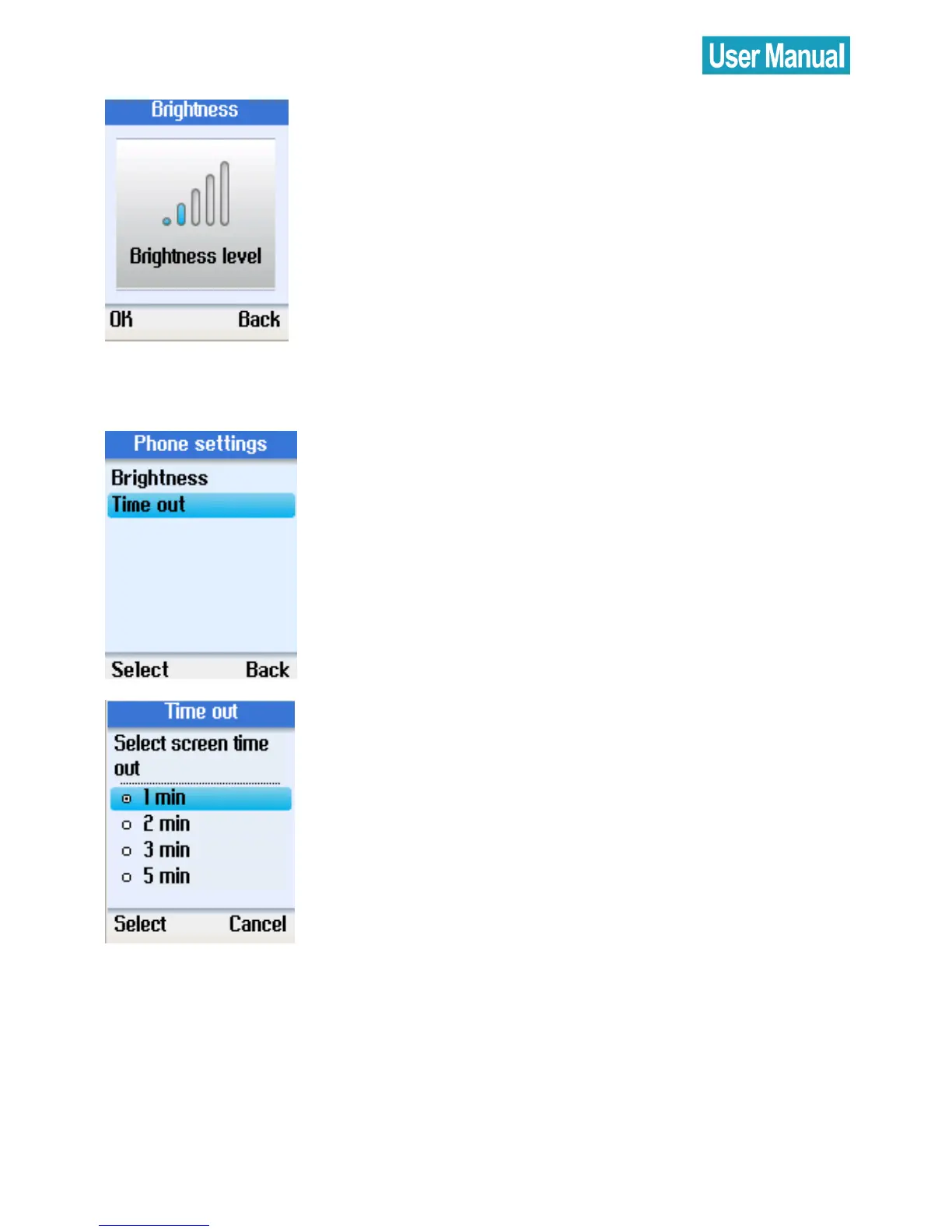
Use the navi
gation b
utton to adjust t
he
bright
ness level.
Timeout
Use the navi
gation b
utton to select
Timeout
.
Press the left
soft butt
on to continue.
Use the navi
gation b
utton to select
1
,
2
,
3
, or
5
min for scre
en ti
meout.
53
55
Table of Contents
Main Page
Default Chapter
2
Safety Instructions
2
Table of Contents
3
1 Introduction
6
Package Contents
6
Front & Rear Views
7
2 Alphanumeric Keypad
9
3 Hardware Installation
10
4 Setting up the Phone
12
Select Language
12
Accept Agreement
12
Sign in to Skype
13
Login with an Existing Account
13
Create New Account
15
5 Main Screen
16
6 Menu Screen
17
7 Contacts
18
Call a Skype Contact
18
Send Voicemail
19
View Profile
20
Advanced Options
21
Rename a Contact
22
Remove a Contact
22
Block/ Unblock a Contact
23
Request Contact Details
23
Add a Contact
23
8 History
25
9 Status
26
Change Status
27
Mood Message
28
Select My Profile
29
Select Details to be Shown
29
Private Details
30
Switch User
31
Sign out
32
10 Search
33
11 Services
35
12 Settings
36
General Settings
37
Change Password
37
Auto Sign in
38
Language
39
Software Updates
40
Reset
41
Call Divert
42
Call Forwarding
42
Forward to Voice Mail
43
Set Welcome Message
44
Privacy
45
Set Allowed Calls
45
Skypein Calls
46
Blocked Users
46
Tones Setting
47
Incoming Call Alert
47
Ring Tone
48
Ring Volume
49
Notification Tones
49
Set Keypad Tones
50
Time and Date
51
Manage Blocked Users
51
Network
52
Set Network Type
52
Phone Settings
53
Brightness
53
Timeout
54
Information
55
Advanced
57
Software Updates
57
Network Proxy
58
Skype Ports
59
Appendix A: Specification
60
Other manuals for Xblue Networks SP2014
Manual&Nbsp;
60 pages
Related product manuals
Xblue Networks X16
52 pages
Xblue Networks X16 plus
54 pages
Xblue Networks X-50
260 pages


 To Next Page
 Loading...



