Selecting & Playing Voices
P-125a Owner’s Manual
14
Reference
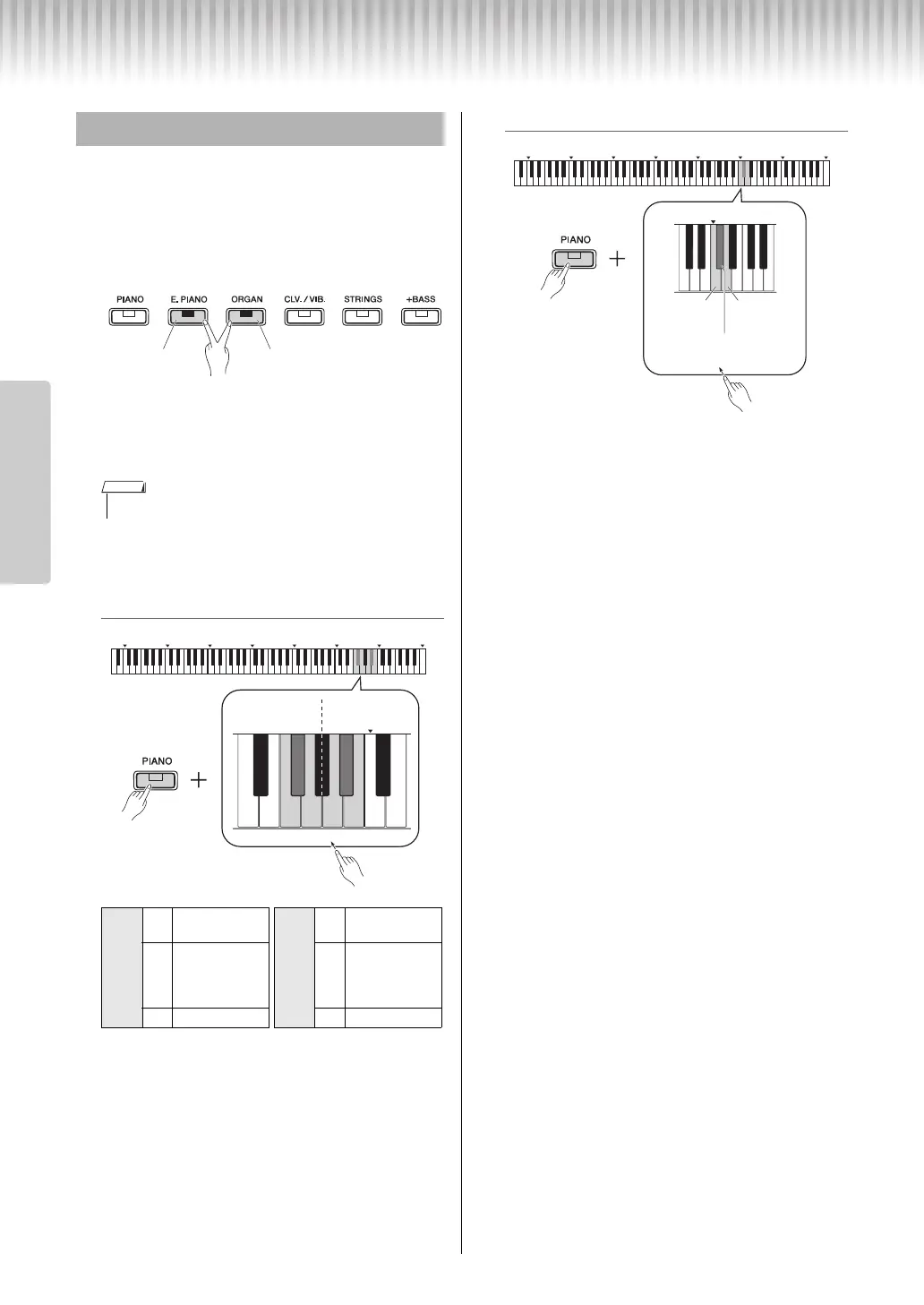
You can layer two Voices and play them simultane-
ously to create a more richly textured sound.
1
Engage Dual.
Choose two desired Voices, then press those Voice
buttons simultaneously.
Note that the Voice of the left side button is desig-
nated as Voice 1, while the Voice of the right side
button is designated as Voice 2. The Variation
lamps indicate the status of Voice 1.
2
Play the keyboard to enjoy the dual
sound.
To shift the Octave for each Voice:
Setting range: -2 – +2
To adjust the balance between two Voices:
Setting range: -6 – 0 – +6
Settings below “0” increase the volume of Voice 2,
while settings above “0” increase the volume of
Voice 1, in relation to the other.
3
To exit from Dual, simply press any
Voice button.
Layering Two Voices (Dual)
• You cannot layer two Voices from the same group.
Voice
2
F5
Down by 1
octave
Voice
1
A5
Down by 1
octave
F#5
Default setting
(different for
each Voice
combination)
A#5
Default setting
(different for
each Voice
combination)
G5 Up by 1 octave B5 Up by 1 octave
Left: Voice 1 Right: Voice 2
C0 C1 C2 C3 C4 C5 C6 C7
w
q
C6
F#5
A#5
F5 G5 A5 B5
Voice 1Voice 2
While holding
down
C0 C1 C2
C3
C4 C5 C6 C7
w
q
C5
D5: up
by 1
C5: down
by 1
C#5: 0
(default setting)
While holding
down


 To Next Page
 Loading...