49
P-515 Owner’s Manual
Playing Back Songs
There are three Repeat items as follows. These are convenient for repeatedly
practicing difficult phrases. It is a good idea to use this function and the Part
Cancel function (above) for practicing difficult phrases, in the case of MIDI
Songs.
•
AB Repeat ............. Play a MIDI Song repeatedly by designating a specific
range within the Song.
•
Phrase Repeat...... Play a MIDI Song repeatedly by designating a phrase or
phrases within the Song.
•
Song Repeat.......... Play a MIDI/Audio Song repeatedly, or play all MIDI/
Audio Songs saved in a designated folder repeatedly in
order or in random order.
The explanations here apply only to AB Repeat and Song Repeat. For Phrase
Repeat, refer to page 93.
1. Select a Song to be played back.
For instructions, refer to page 45.
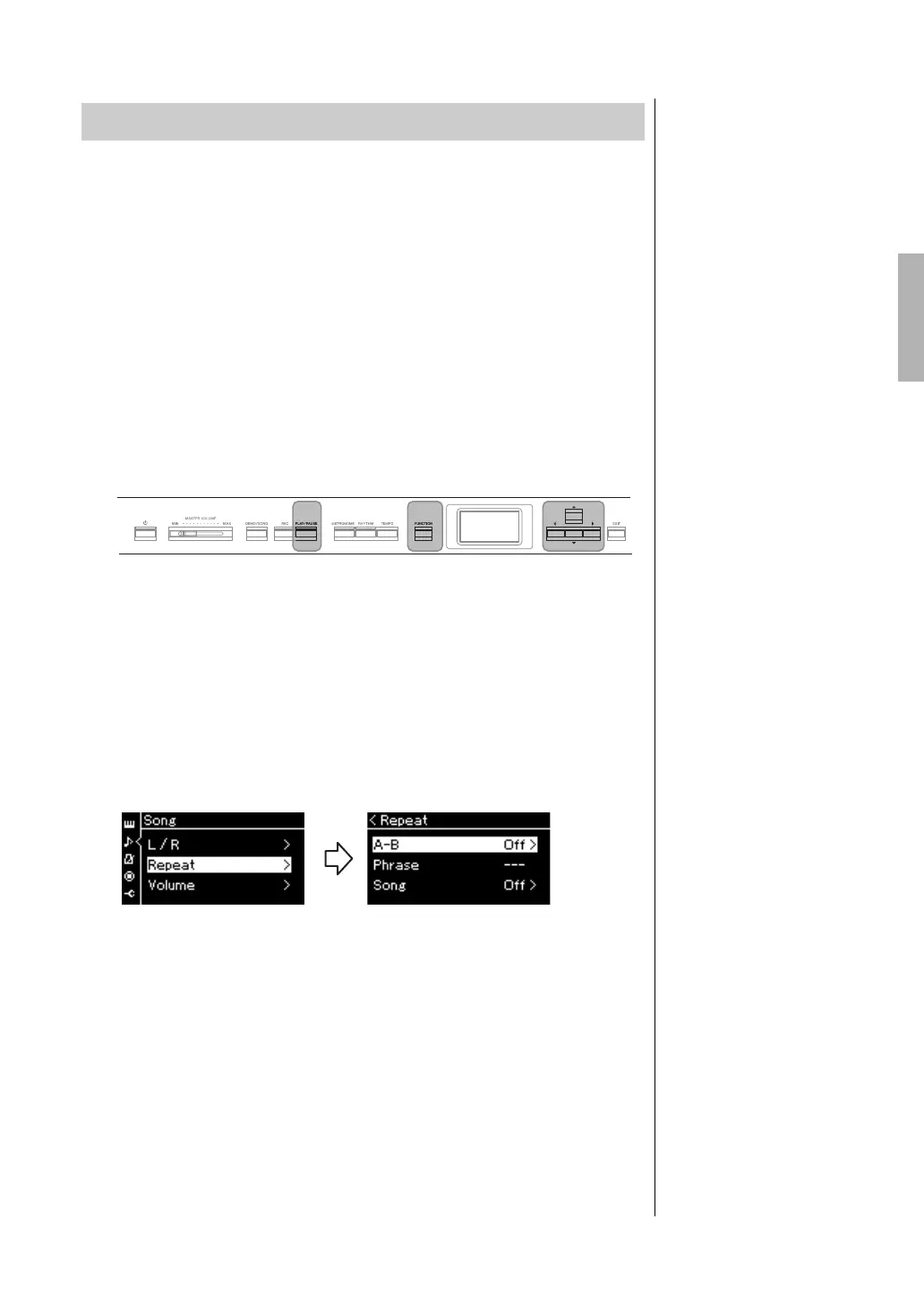
2. Call up the “Repeat” display.
Press the [FUNCTION] button repeatedly to call up the “Song” menu
display. Select “Repeat,” then press the [>] button.
3. In the “Repeat” display, select a desired item using the [u]/
[d] buttons, then press the [>] button.
If you want to set AB Repeat, select “A – B.”
If you want to set Song Repeat, select “Song.”
4. Set in the appropriate setting display.
•AB Repeat .................See below.
•Song Repeat...............See page 51.
Playing Back a Song Repeatedly
[u]/[d]/[<]/[>]
buttons
[PLAY/PAUSE]
button
[FUNCTION]
button
“Song” menu display “Repeat” display


 To Next Page
 Loading...