11
Setting Up Your Phone
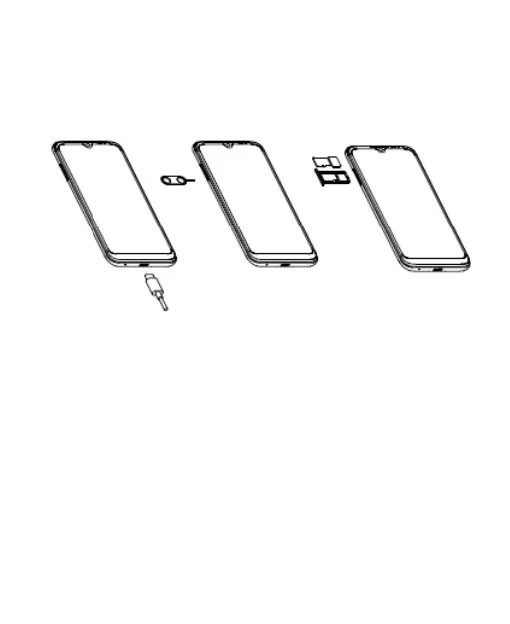
The nano-SIM card can be installed or removed while the
phone is turned on.
1. Locate the SIM tray on the right hand side panel. Insert a
pin into the small hole at the bottom of the SIM tray.
2. Place the nano-SIM card into the smaller section of the
tray, add a microSD card (optional) if you need more
storage (memory) in the device.
3. Replace the SIM tray


 To Next Page
 Loading...