104
Meeting Time Planner allows you to nd a suitable time to have a video conference, telephone
or net meeting with participants in different time zones.
Using the Meeting Time Planner
To use the Meeting Time Planner:
1. Tap Start > Programs > Meeting Time Planner.
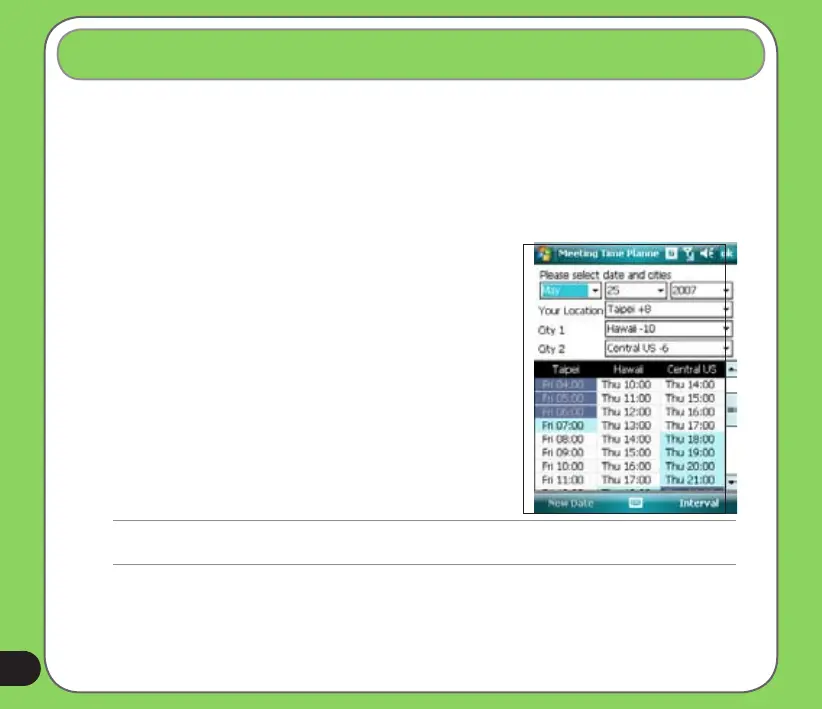
2. Select the date and the cities.
A color-coded 24-hour time table of the chosen cities
appear, allowing you to identify the best time for the
meeting. Dark blue is late night/early morning, light
blue is off-peak hour, and white is peak daytime
hour. You can also change the interval of time shown
by tapping Interval on the lower-right corner of the
screen.
3. Select the time for your meeting and tap New Date.
4. Fill in the meeting information and tap OK to add your
date into the Calendar.
Meeting Time Planner
NOTE:
You can tap Interval > Summer Time use daylight saving time.


 To Next Page
 Loading...










