Notebook PC E-Manual
59
Wi-Fi connection
Access emails, surf the Internet, and share applications via social
networking sites using your Notebook PC’s Wi-Fi connection.
IMPORTANT! Ensure the Airplane mode is turned o to enable the
Wi-Fi function of your Notebook PC. For more details, refer to the
Airplane mode section in this manual.
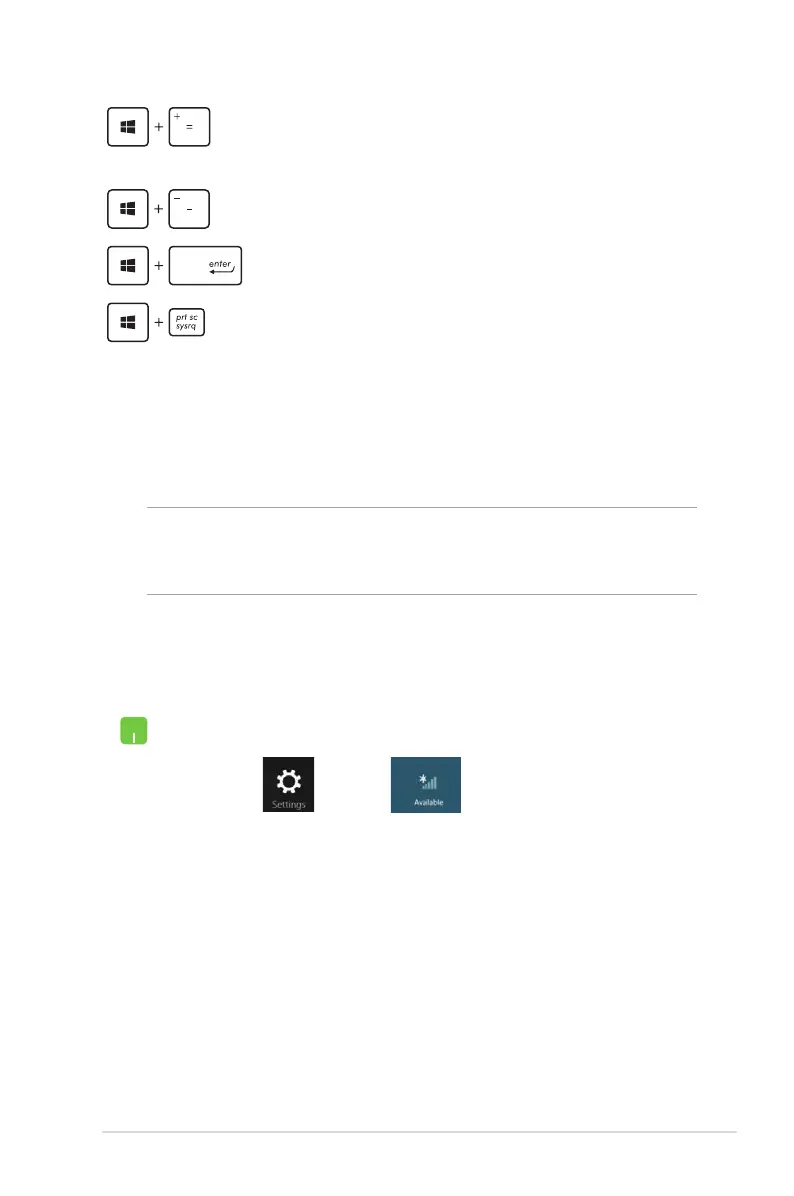
Launches the magnier icon and zooms in your
screen
Zooms out your screen
Opens the Narrator Settings
Enables the print screen function
Enabling Wi-Fi
Activate Wi-Fi in your Notebook PC using the following steps:
1. Launch the Charm bar.
2. Tap and tap .
3. Select an access point from the list of available Wi-Fi
connections.


 To Next Page
 Loading...