In the AP mode, the wireless router receives the WAN IP address from the router
connected to the WAN port and provides you with wireless radio signal. The NAT,
rewall, and IP sharing services are disabled.
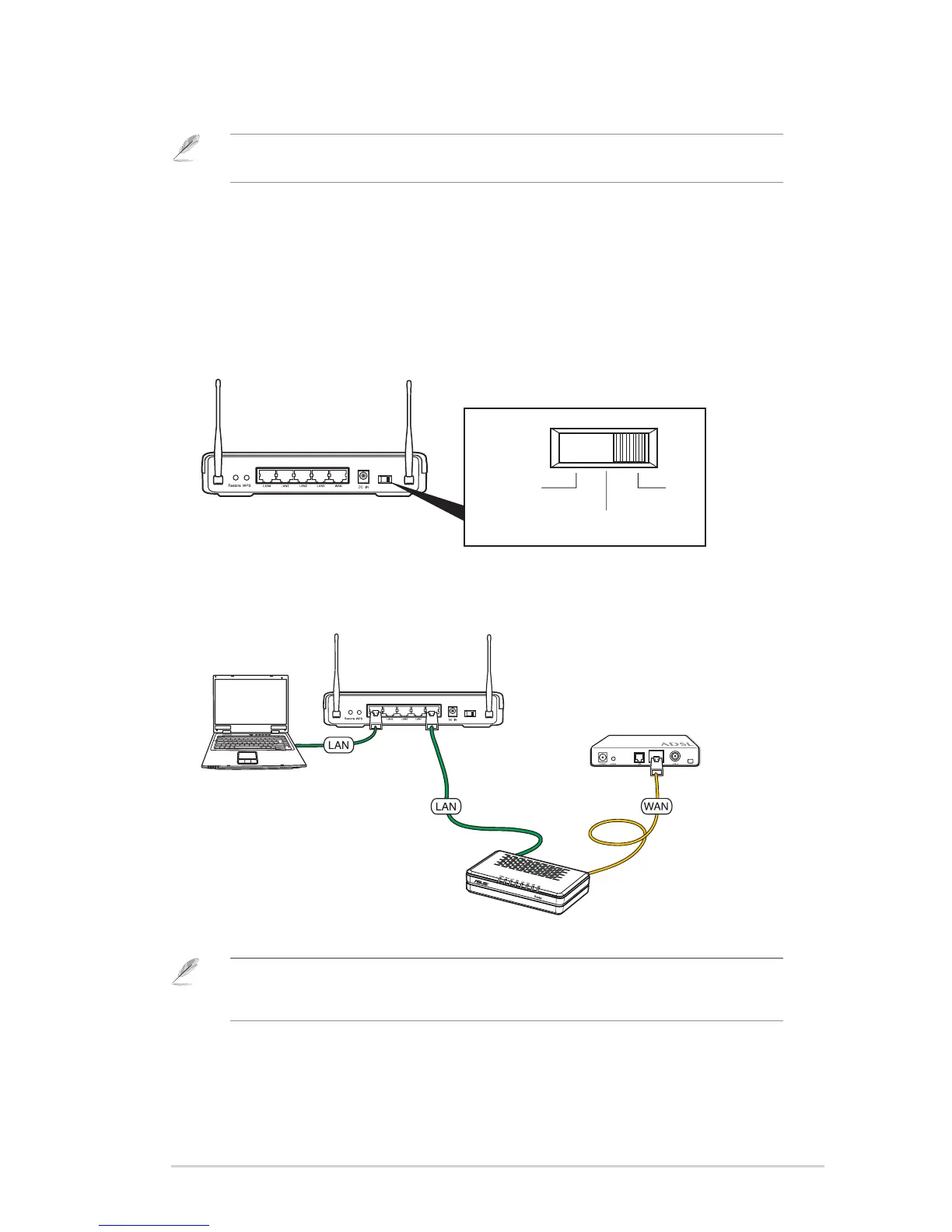
To set up the wireless router in AP mode:
1. Choose the AP mode.
Note: To set up the wireless router in the AP mode, use Device Discovery included in the
support CD to access the web GUI.
2. Connect your devices.
Note: We recommend that you use an Ethernet cable (wired connection) to connect your
computer to the wireless router for initial conguration to avoid possible setup problems due to
wireless uncertainty.


 To Next Page
 Loading...











