21
Chapter 2: There’s no place like Home
Notications
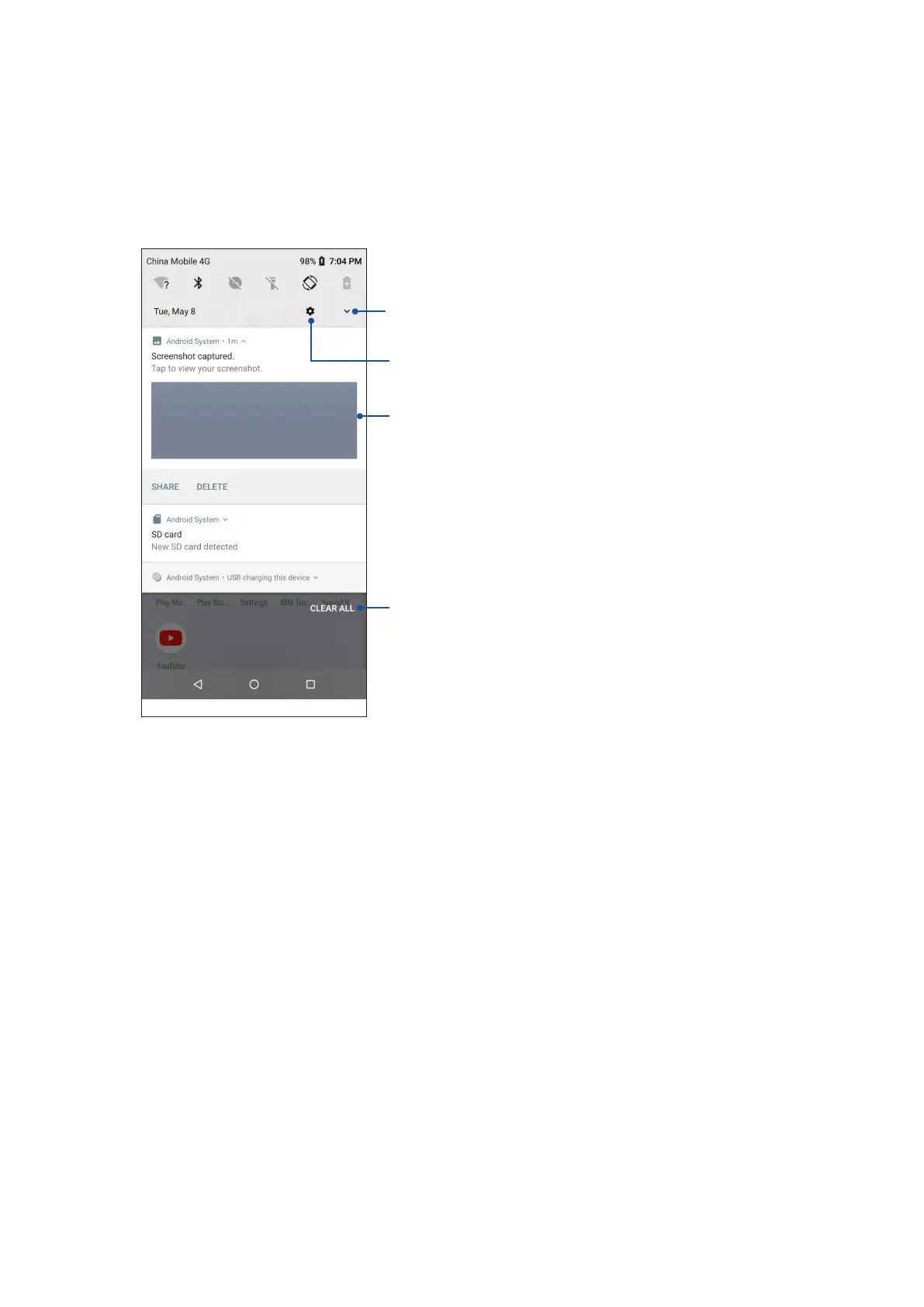
From the notications panel, you can see the latest updates done and system changes made on
your ASUS Phone. Most of these changes are data and system-related.
To launch the notications panel, swipe down from the top of your screen.
Tap this to delete all of the listed notications
•Swipethenoticationtotheleftorrightto
remove it from the list
•Taponthenoticationtoviewitsdetails
Tap to open Settings
Tap to switch to the Quick settings panel


 To Next Page
 Loading...