36
Chapter 4: Keeping in touch
Keeping in touch
4
4 Keeping in touch
Call in style
Dual SIM feature
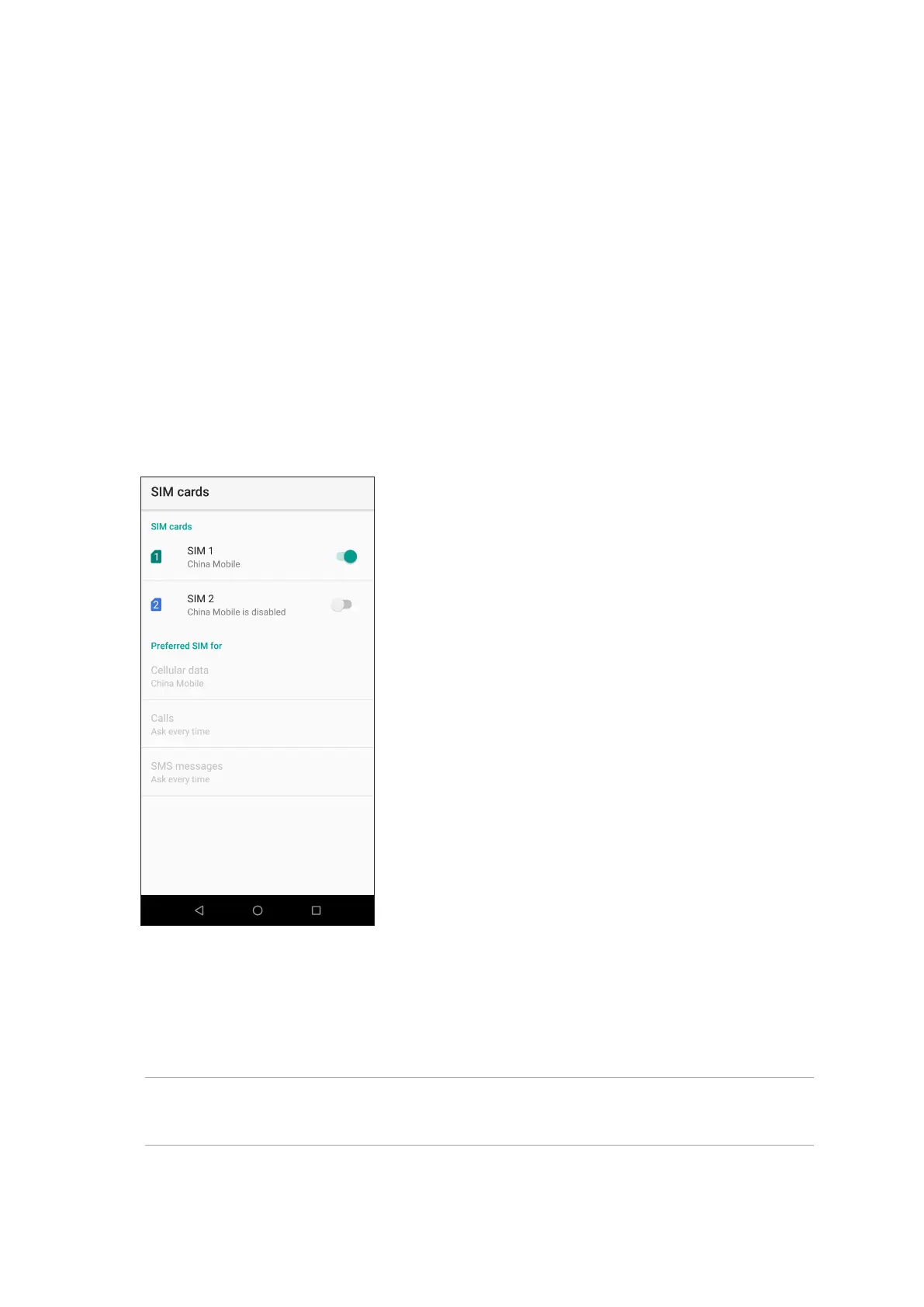
The dual SIM feature of your ASUS Phone lets you manage the settings of the installed Nano SIM
cards. With this feature, you can enable/disable Nano SIM cards, assign SIM names, or set one as a
preferred network.
Renaming your Nano SIM cards
Change the names of your Nano SIM cards on your ASUS Phone so that you can identify them
easily.
To change the names of your Nano SIM cards, tap SIM 1 name: SIM 1 or SIM 2 name: SIM 2 then
key in the names for your Nano SIM cards.
NOTE: If your SIMs have dierent mobile service providers, we recommend you to use the names
of these providers for your SIM names. If both SIMs have the same mobile service provider, we
recommend you to use the mobile numbers for your SIM names.


 To Next Page
 Loading...