Chapter 1: Get your Zen ready!
14
Installing a micro SIM card (on selected models)
Your micro SIM card slot supports WCDMA and EDGE/GSM bands. Certain model supports WCDMA,
LTE, and GSM network bands.
NOTE: To prevent connector damage, ensure to use a standard micro SIM card without a SIM adapter or
the use of a cutter.
CAUTION! Be extra careful when handling a micro SIM card. ASUS is not responsible for any data loss or
damage incurred to your micro SIM card.
To install a micro SIM card:
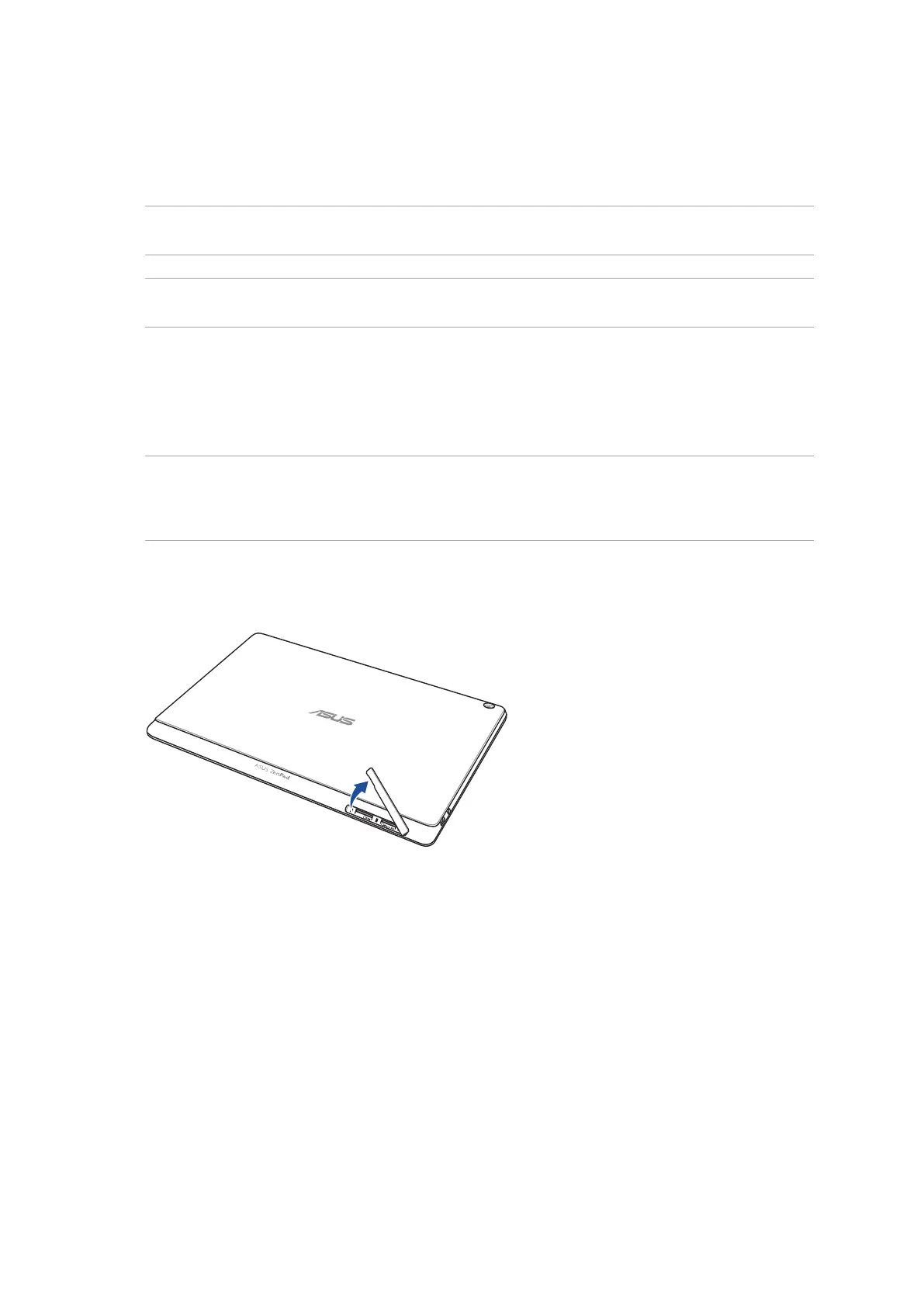
1. Orient your device as shown, and open the micro SIM/microSD card compartment.
CAUTION!
• Becarefulnottodamagetheslotcoverorinjureyourngernailswhenyouremovethecover.
• Donotforciblyremove,shear,ordistortthememorycardslotcover.


 To Next Page
 Loading...