47
Printing Different Images on an 8-Label Sheet
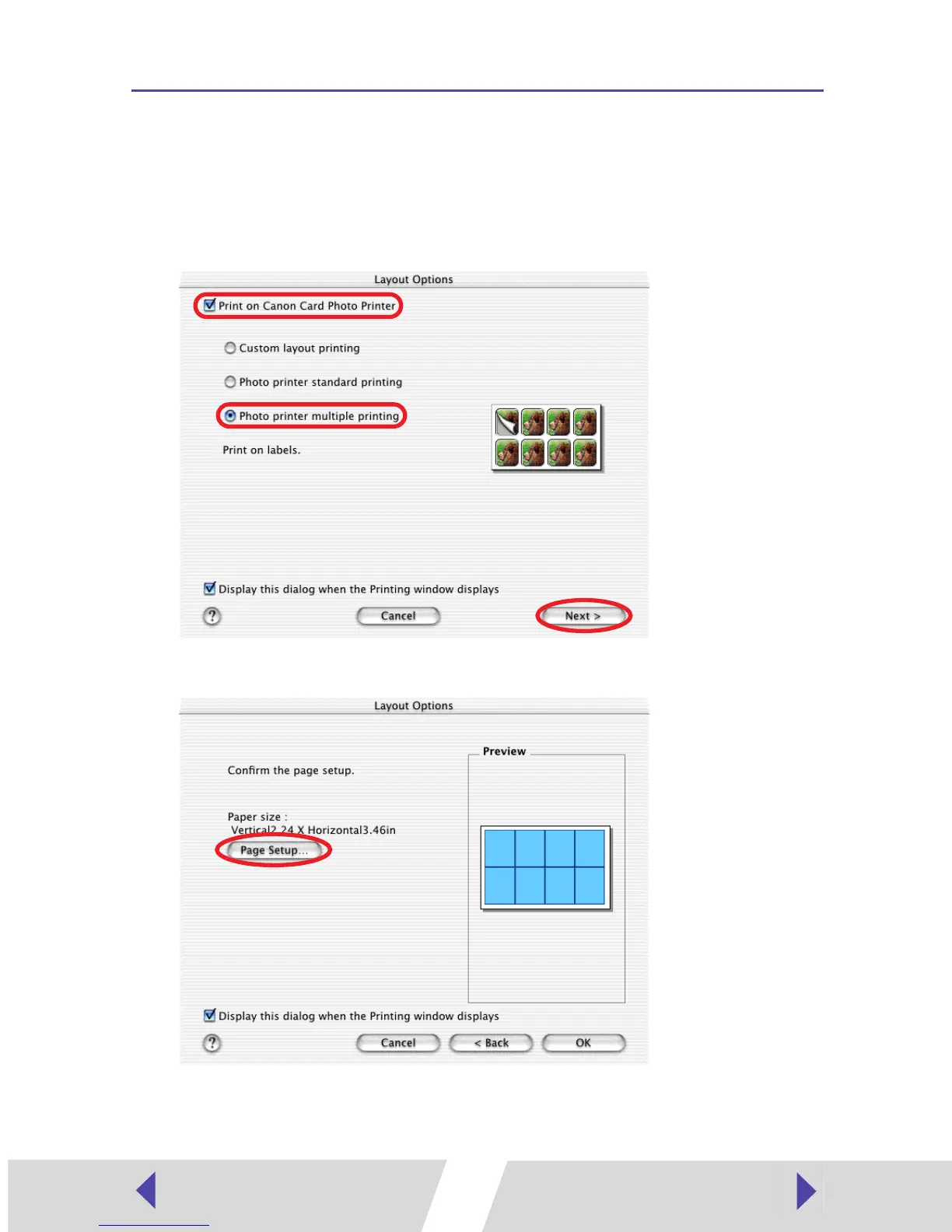
You can also print a combination of different images on an 8-label sheet.
1
In the Layout Options window, select “Print on Canon Card Photo
Printer”, select “Photo printer multiple printing”, and then click the
[Next] button.
2
Click the [Page Setup] button.
3
In [Format for] select [CP-300] or [CP-200].


 To Next Page
 Loading...