Setting Exposure Compensation
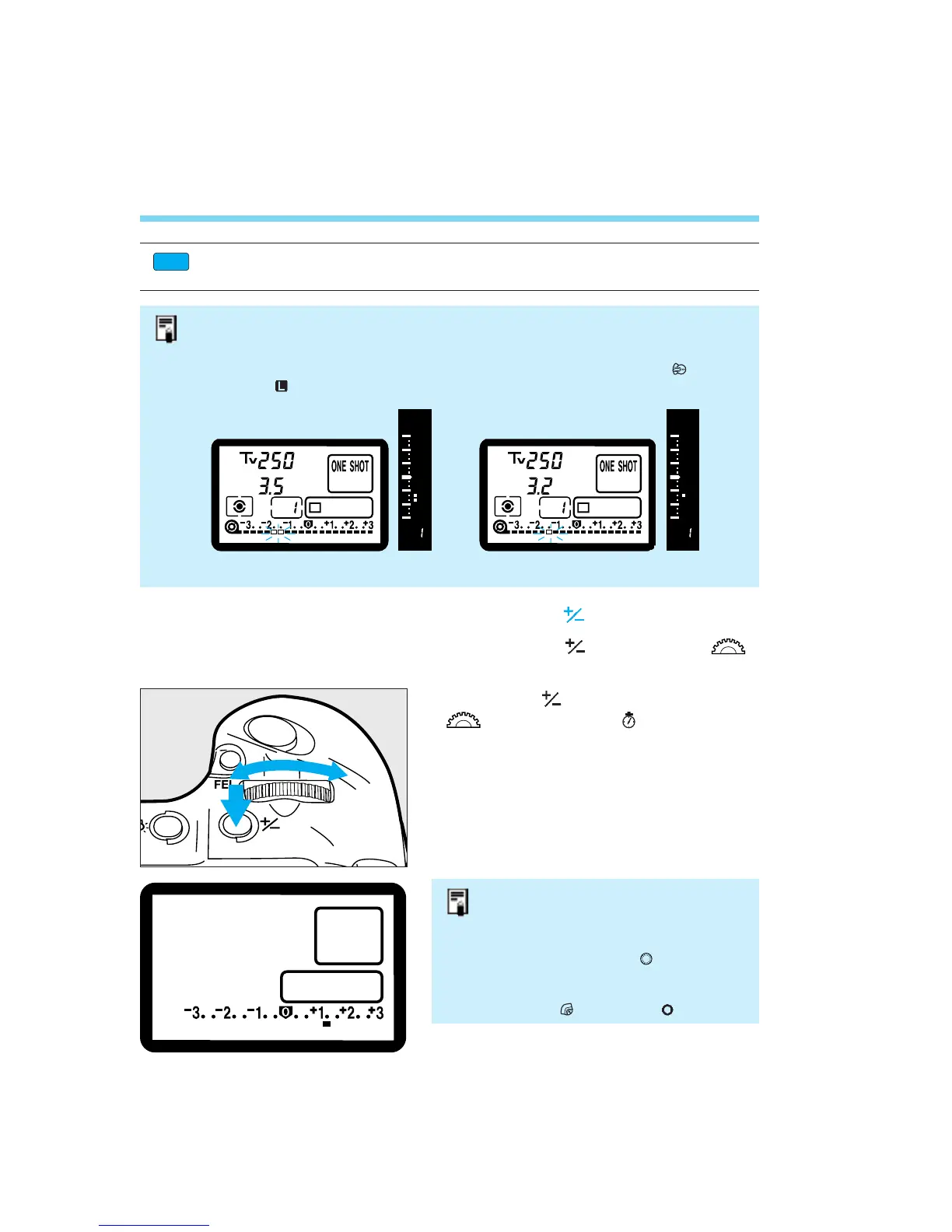
Exposure Compensation with the < > Button
Exposure compensation can also be set with the < > button and < >
dial.
76
Press the < > button and turn the
<> dial within ( ) to set the
desired exposure compensation
amount.
• The exposure compensation amount’s 1/3-stop or half-stop (enabled with Custom
Function CF-6) increments are indicated in the viewfinder and on the LCD panel
as shown below.
• The exposure compensation amount remains effective even after the < > switch
is set to < >.
–1 1/2 exposure compensation –1 1/3 exposure compensation
• This is useful when you want to
apply the same exposure
compensation to the entire roll of
film.
• To prevent the < > dial from
turning inadvertently and changing
the exposure compensation amount,
set the < > switch to < >.
Custom Function CF-6 enables the exposure compensation amount to be set in
half-stop increments. See page 112.


 To Next Page
 Loading...












