Depth-of-field AE (DEP): You Set the Depth of Field
Press the shutter button completely
to take the picture.
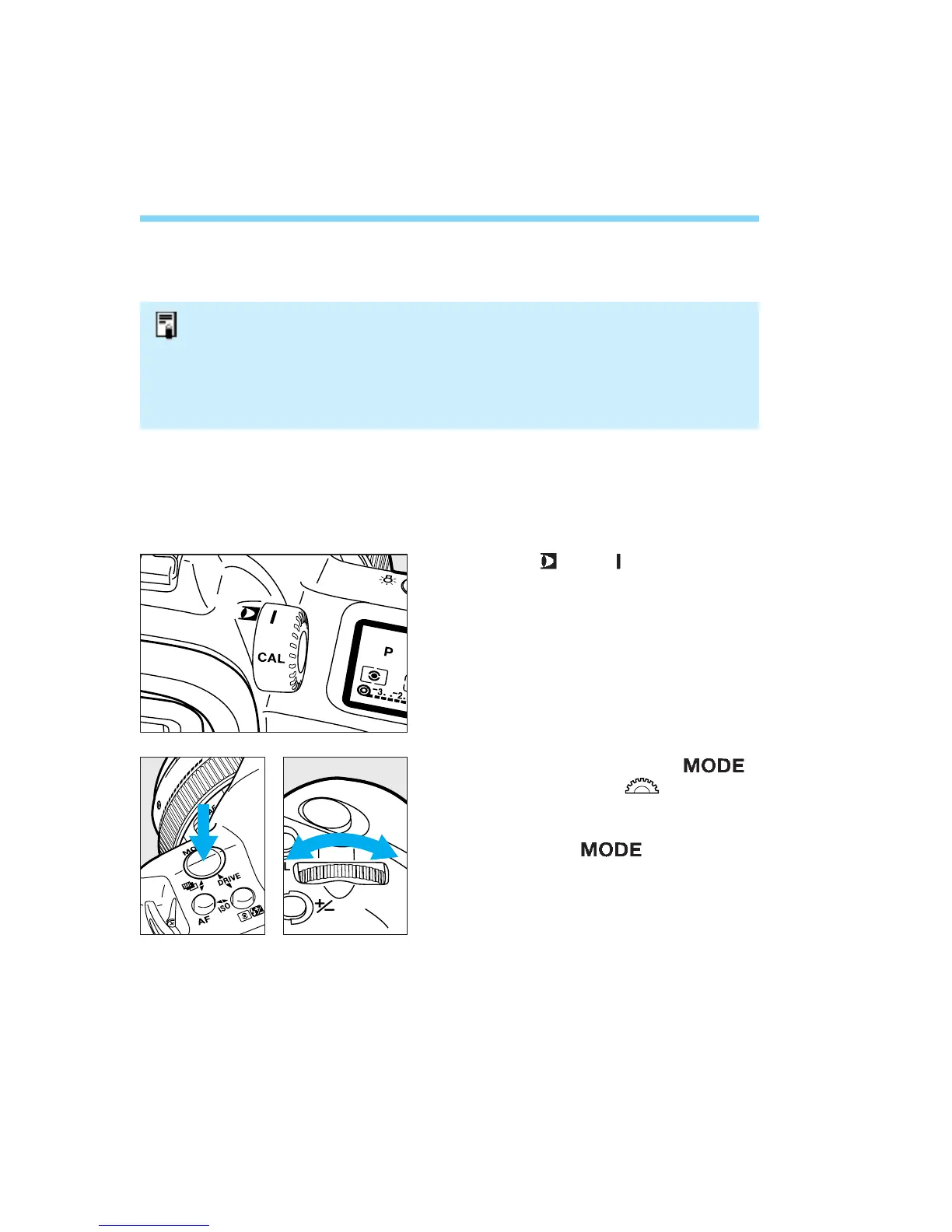
Set the < > to < >.
• Make sure the correct CAL No. has been
set. See page 42.
70
While pressing the < >
button, turn the < > dial until
DEP appears on the LCD panel.
Release the < > button.
1
8
2
3
Depth-of-field AE with a Camera-Selected Focusing Point
• The camera selects the center focusing point for depth-of-field AE. Follow the
same procedure as for “Depth-of-field AE with a Manually-Selected Focusing
Point” while using the center focusing point to set the DEP points.
• Be sure to complete each step within 6 seconds (before the viewfinder display
turns off) after removing your finger from the shutter button. Otherwise, the DEP
settings will be canceled and you will have to start over.
Depth-of-field AE with Eye-Selected Focusing Points
With Eye Control, you can set the DEP points by looking at the focusing
point. This is the easiest way.
06. C836-E (61~) 28-01-2003 11:49 Pagina 70


 To Next Page
 Loading...












