146
1
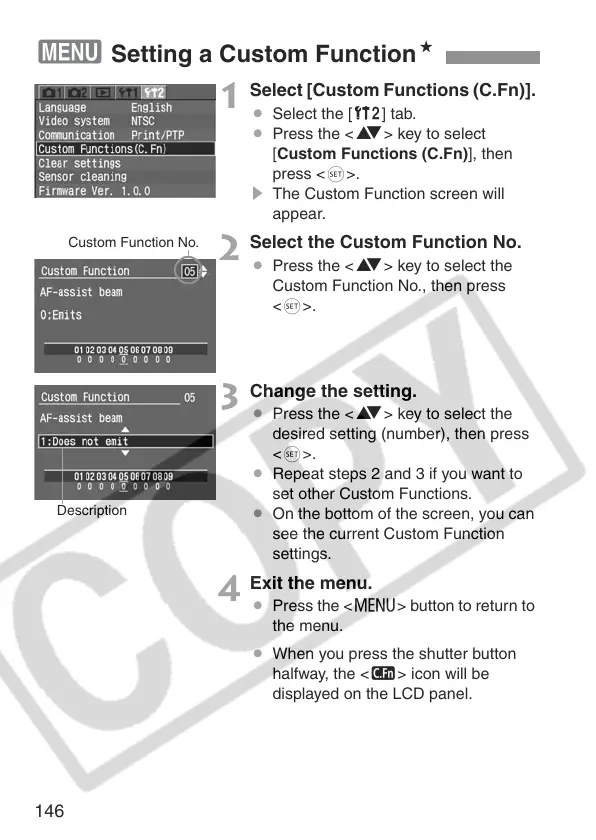
Select [Custom Functions (C.Fn)].
¡ Select the [b] tab.
¡ Press the <V> key to select
[Custom Functions (C.Fn)], then
press <0>.
s The Custom Function screen will
appear.
2
Select the Custom Function No.
¡ Press the <V> key to select the
Custom Function No., then press
<0>.
3
Change the setting.
¡ Press the <V> key to select the
desired setting (number), then press
<0>.
¡ Repeat steps 2 and 3 if you want to
set other Custom Functions.
¡ On the bottom of the screen, you can
see the current Custom Function
settings.
4
Exit the menu.
¡ Press the <M> button to return to
the menu.
¡ When you press the shutter button
halfway, the <K> icon will be
displayed on the LCD panel.
3 Setting a Custom FunctionN
Custom Function No.
Description


 To Next Page
 Loading...









