6
Quick Reference Guide to the Canon HG-10
UB Media Lab
THE BACK OF THE CAMERA
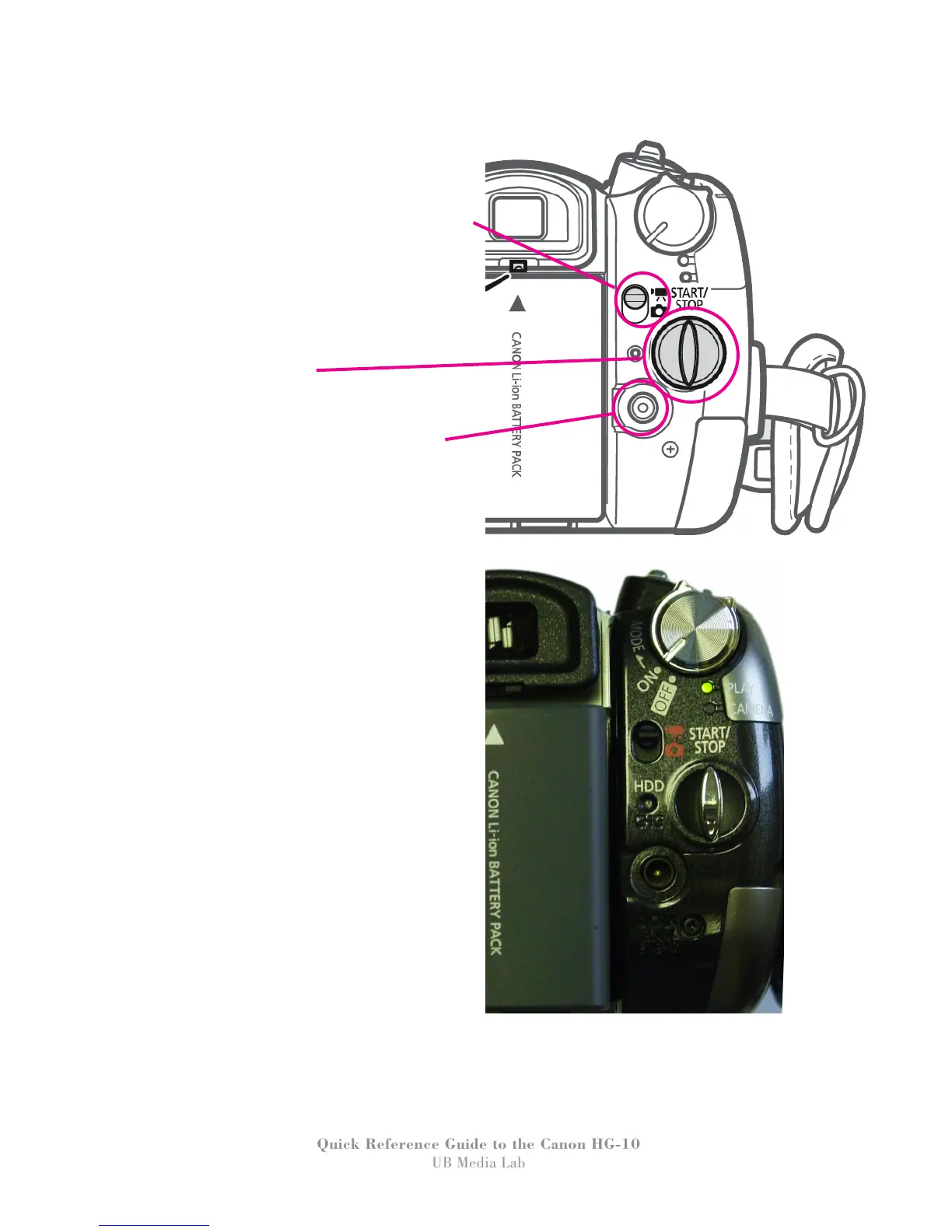
Under the power/mode selection dial there is a
small switch with a picture of a video camera
and a still camera. Leave it in the top (video
camera) mode to record video.
The bottom (photo) mode is only for taking
photos and you’ll need a mini-SD card.
(The photo features of this camera are not
covered in this guide.)
The oval shaped button is
the RECORD START/STOP button.
Below the record button is the AC Adapter
port. To operate the camera using AC power,
plug one end into here and the other into a wall
outlet.


 To Next Page
 Loading...