2524
5
Set the date and time.
Press or button to select the item to be
set.
Press or button to set the date and time.
6
Press the SET button.
7
Press the MENU button.
Setting the Language
Sets the display language for LCD monitor
menus and messages.
1
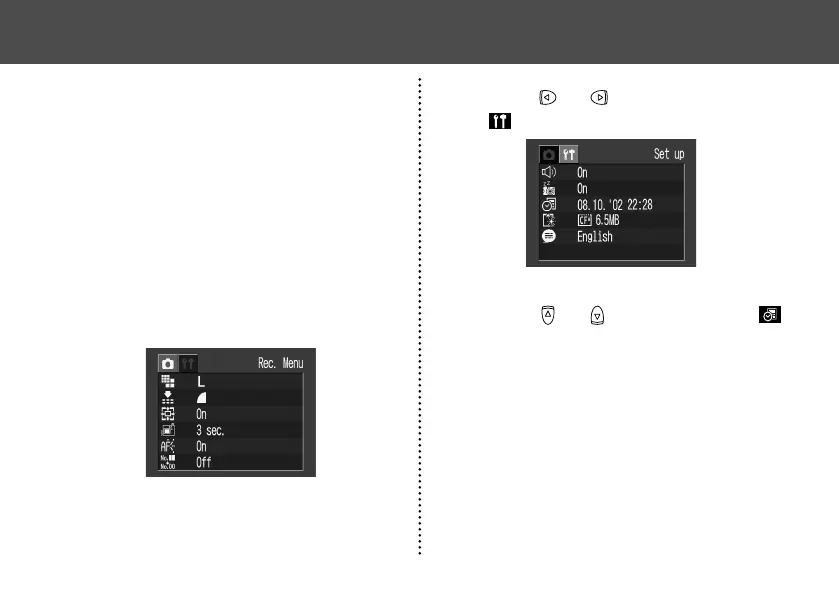
Press the MENU button.
The Rec. or Replay menu will display.
2
Press or button to select the
[
(Set up)] menu.
● Preparing the Camera ●
Setting the Date / Time
The Date / Time menu will be displayed when
camera power is turned on for the first time or
at low date battery power. Perform operations
from Step 5. (Replace the date battery when
power from the current one is exhausted (p. 95).)
1
Turn the power on (p. 27).
2
Press the MENU button.
The Rec. or Replay menu will display.
3
Press or button to select the
[
(Set up)] menu.
4
Press or button to select
(Date / Time) and press the SET but-
ton.
● Preparing the Camera ●


 To Next Page
 Loading...