PowerPanel™ Business Edition
57
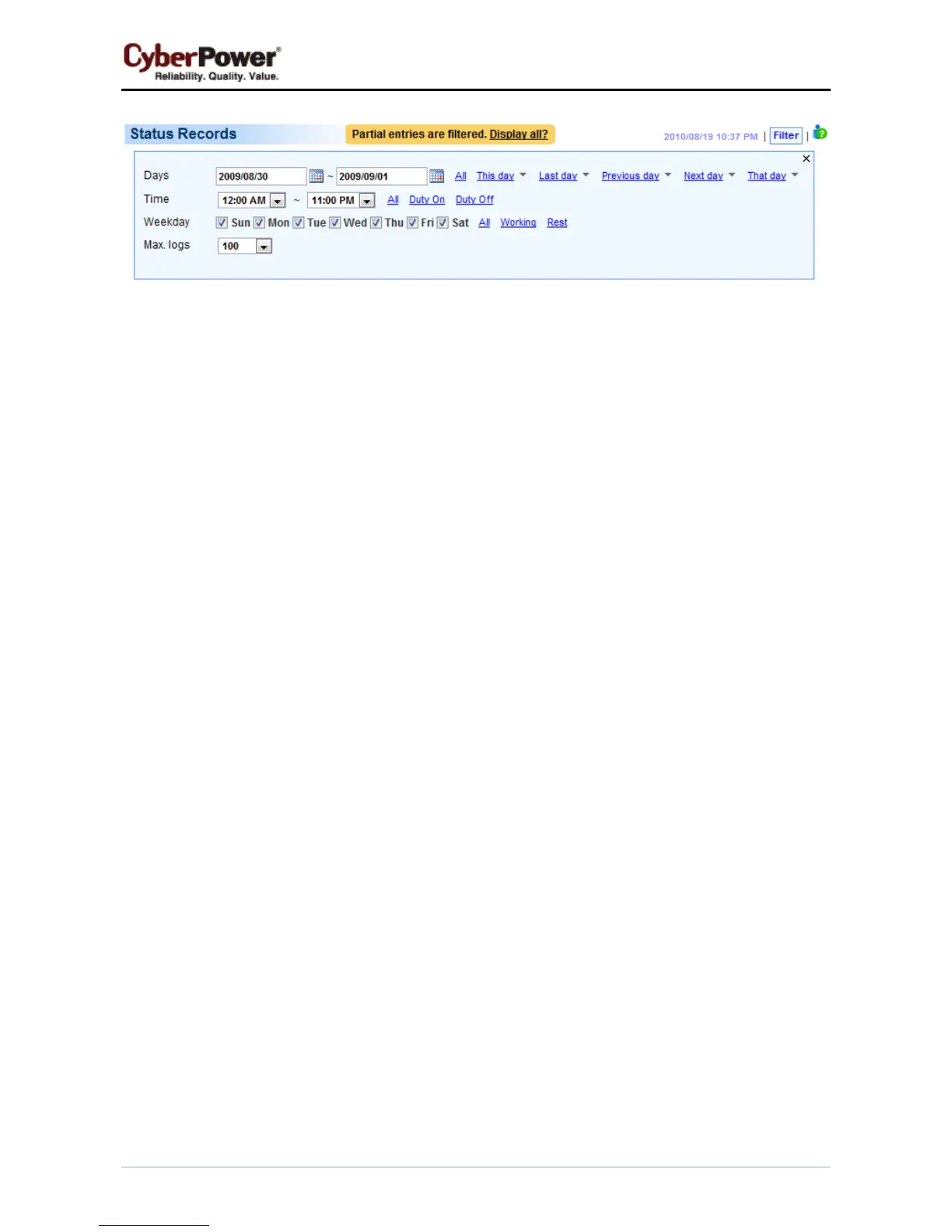
Filter pane on Logs/Status page
z Days: Selects the day(s) for the status records to be displayed. The dropdown menus next to the Days
setting can be used for additional preconfigured filters.
z Time: Selects the time range of the status records.
z Weekday: Choose the days of the status records.
z Max. logs: Indicates the maximum number of status records that will be displayed.



 To Next Page
 Loading...