2 Unpack the memory card.
Note: Avoid touching the connection points along the edge of the card.
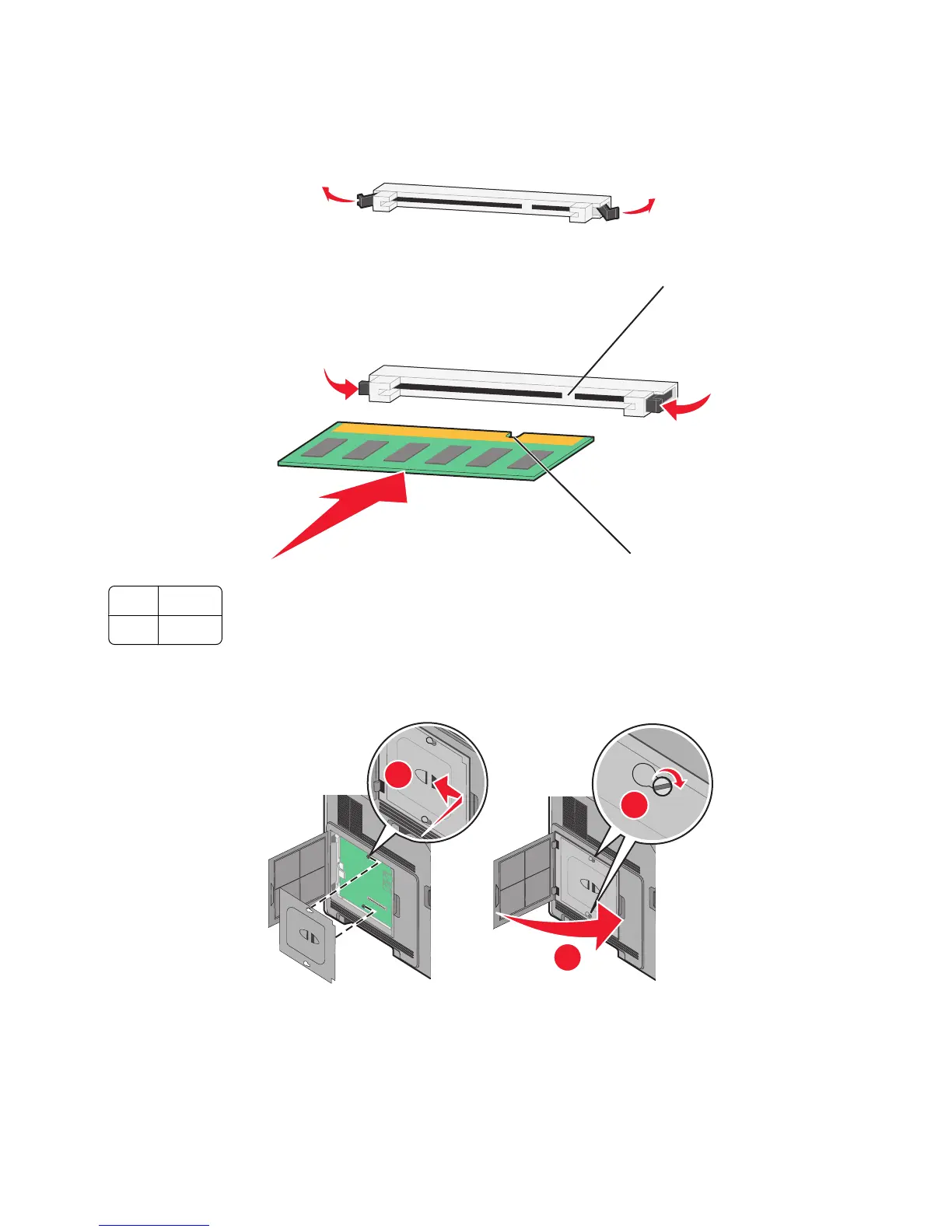
3 Open the memory card connector latches.
4 Align the notches on the memory card with the ridges on the connector.
2
1
1 Notches
2 Ridges
5 Push the memory card straight into the connector until it snaps into place.
6 Replace the system board cover and close the system board door.
1
2
3
Installing a flash memory or firmware card
Note: This task requires a flathead screwdriver.
Additional printer setup
22


 To Next Page
 Loading...










