Maintaining Your Printer
271
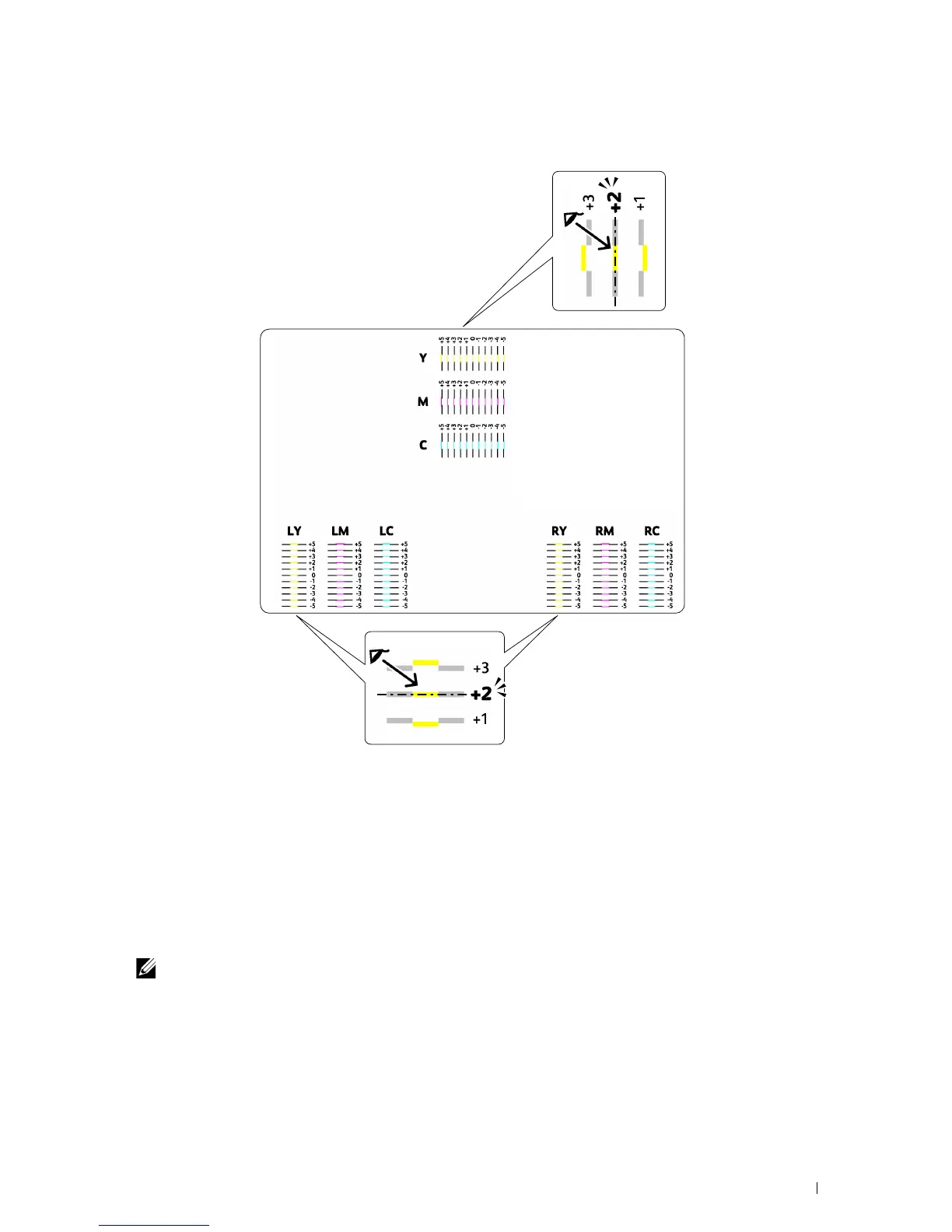
When the value is not 0, enter the value according to the procedure in "Entering Values" on page 271.
Entering Values
Tool Box
Using the Tool Box , enter the values that you found in the color registration chart to make adjustments.
1
Click
Start
All Programs
Dell Printers
Dell Printer Hub
.
Dell Printer Hub opens.
2
Select
Dell Color MFP E525w
print driver at
My Printers
.
3
Click on the link
Tool Box
from list at the left side of the page.
NOTE:
The Select Printer window appears in this step, when multiple printer drivers are installed on your computer. In this
case, click the desired printer name listed in Printer Name.
The
Tool Box
opens.
4
Click the
Printer Maintenance
tab.
5
Select
Registration Adjustment
from the list at the left side of the page.
The registration adjustment page is displayed.


 To Next Page
 Loading...









