EasyManua.ls Logo

Epson M105 - User Manual

Epson M105
108 pages
Print Icon
To Next Page IconTo Next Page
Loading...
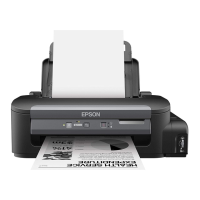
M100/M105 User's Guide

Table of Contents

Other manuals for Epson M105

Question and Answer IconNeed help?

Do you have a question about the Epson M105 and is the answer not in the manual?

Epson M105 Specifications

General IconGeneral
BrandEpson
ModelM105
CategoryPrinter
LanguageEnglish

Summary

Printer Parts - Top

Printer Parts - Inside

Printer Parts - Back

Loading Paper

Printing From a Computer

Printing with Windows

How to print from Windows.

Printing with OS X

Cancelling Printing Using a Product Button

Refilling Ink

Ink Safety Precautions

Important precautions for handling ink.

Check Ink Level

How to check the ink level in the printer.

Refilling the Ink Tank

Step-by-step guide to refilling the ink tank.

Adjusting Print Quality

Print Head Maintenance

Overview of print head maintenance procedures.

Print Head Nozzle Check

How to check for clogged print head nozzles.

Print Head Cleaning

How to clean the print head.

Print Head Alignment

Cleaning the Paper Path

Cleaning and Transporting the Product

Solving Problems

Product Light Status

Interpreting printer light indicators for status and errors.

Noise After Filling the Ink

Software Installation Problems

Solving Network Problems

Product Cannot Connect to a Wireless Router or Access Point

Solutions for wireless connection failures.

Network Software Cannot Find Product on a Network

Product Does Not Appear in OS X Printer Window

Cannot Print Over a Network

Printing a Network Status Sheet

Restoring Default Wireless Network Settings

Solving Paper Problems

Paper Feeding Problems

Solutions for paper not feeding correctly.

Paper Jam Problems

How to resolve paper jams.

Solving Problems Printing from a Computer

Nothing Prints

Steps to take when no pages print.

Solving Page Layout and Content Problems

Incorrect Margins on Printout

Incorrect Characters Print

Incorrect Image Size or Position

Slanted Printout

Solving Print Quality Problems

White or Dark Lines in Printout

Solutions for banding or lines in printouts.

Blurry or Smeared Printout

How to fix blurry or smeared printouts.

Faint Printout or Printout Has Gaps

How to fix faint printouts or gaps.
When to Uninstall Your Product Software

Where to Get Help

Technical Specifications

Ink Specifications

Network Interface Specifications

Safety and Approvals Specifications

Related product manuals