- 116 -
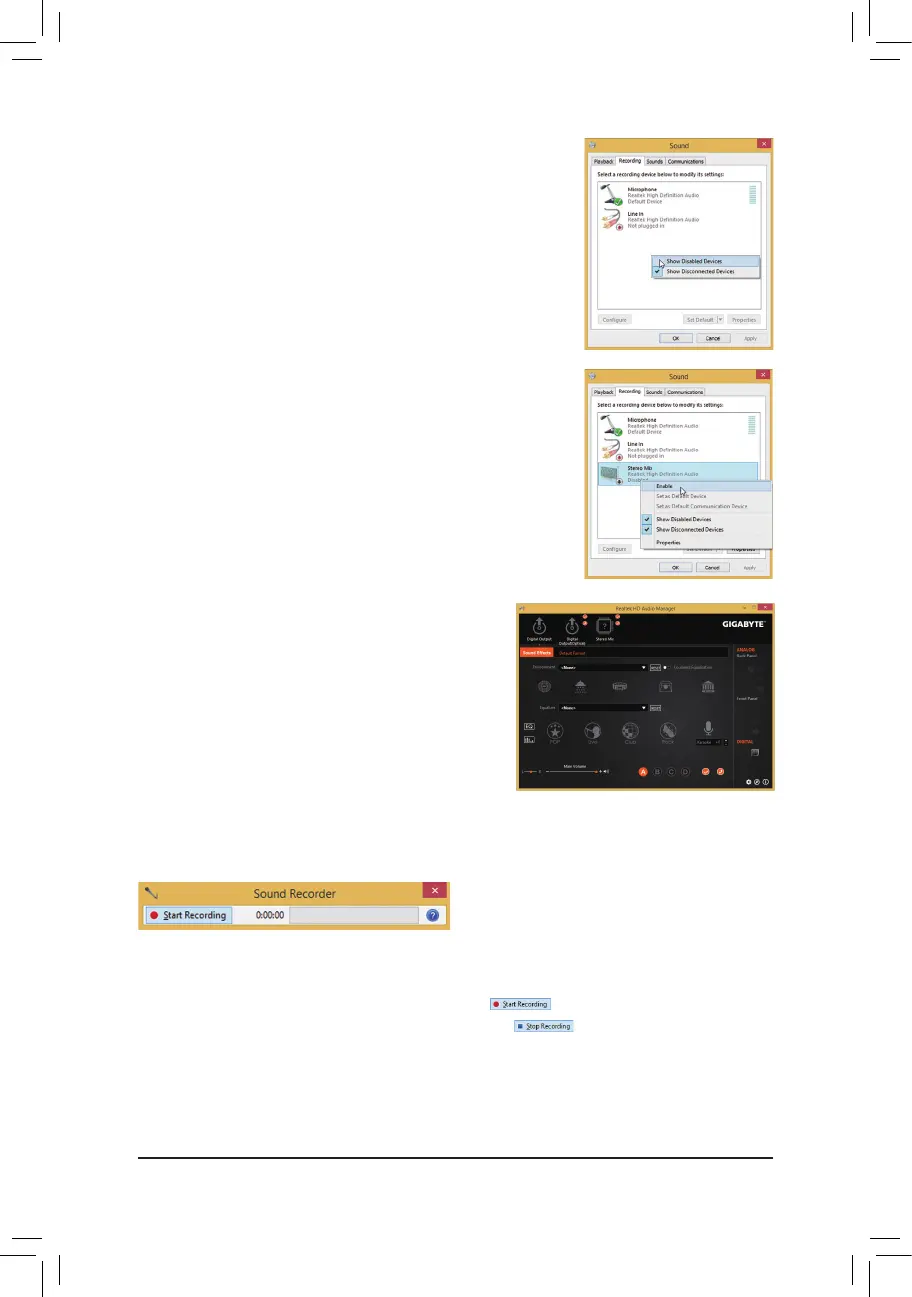
Step 4:
Now you can access the HD Audio Manager to configure
Stereo Mix and use Sound Recorder to record the
sound.
6-1-4 Using the Sound Recorder
A. Recording Sound
1. Makesureyouhaveconnectedthesoundinputdevice(e.g.microphone)tothecomputer.
2. To record the audio, click the Start Recording button .
3. To stop recording audio, click the Stop Recording button .
Be sure to save the recorded audio file upon completion.
B. Playing the Recorded Sound
You can play your recording in a digital media player program that supports your audio file format.
Step 2:
On the Recording tab, right-click on an empty space and
select ShowDisabledDevices.
Step 3:
When the Stereo Mix item appears, right-click on this
item and select Enable. Then set it as the default device.


 To Next Page
 Loading...