Main Control Picture45
Brightness
Install
ContrastFeatures
Auto adjust
Manual adjust
Sound
Picture Color temp
Picture Color temp53
Warm
Cool
Main Control
Auto adjust
Manual adjust
Contrast 50
Brightness 100
Color temp
Normal
Picture
Main Control
Brightness5
Auto adjust
Manual adjust
Contrast 50
Color temp
Brightness 100
Picture
Main Control
Contrast5
Auto adjust
Manual adjust
Brightness 100
Color temp
Contrast 50
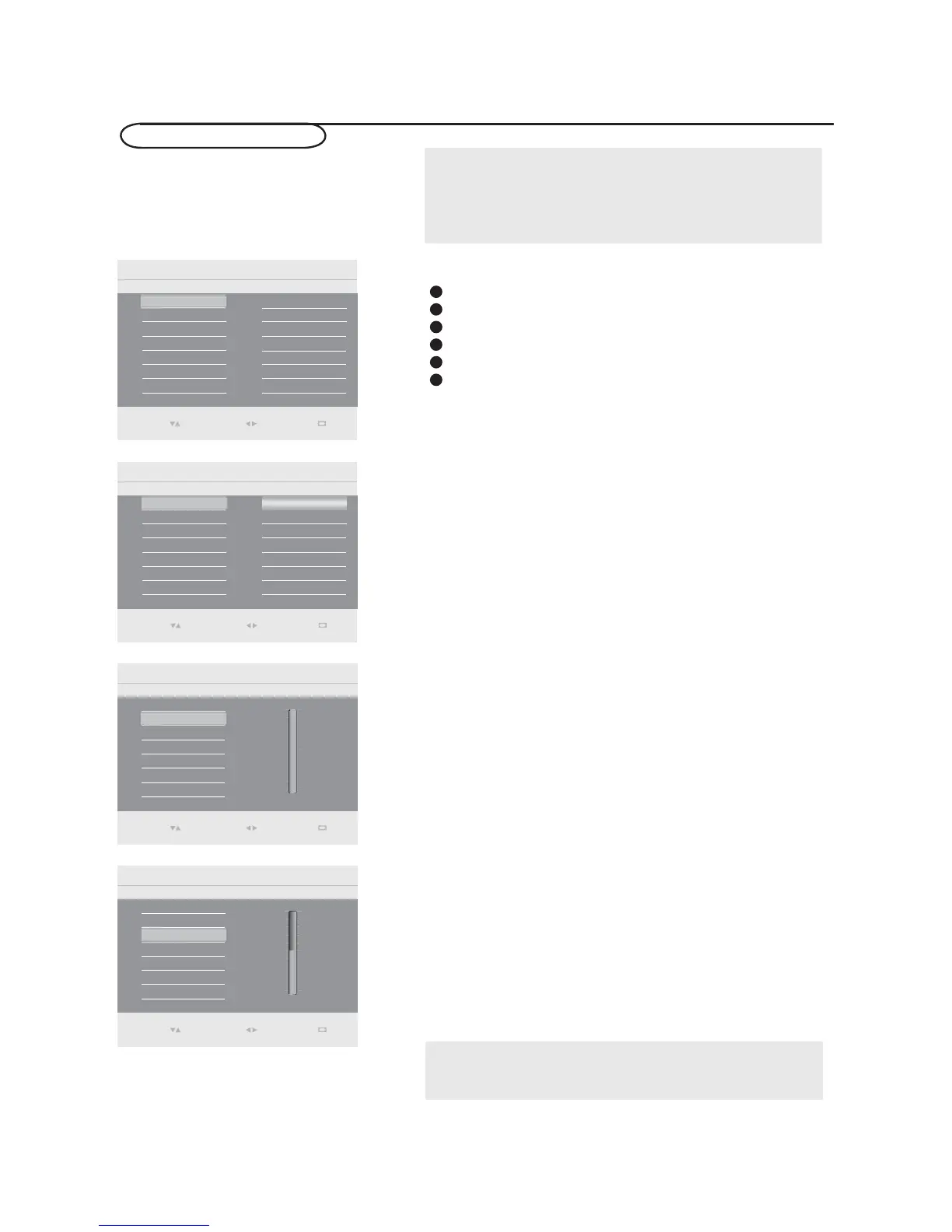
PC menu-Picture & Sound
Note:
This TV can also be used as a PC Monitor. A PC video signal must be
present or the TV will go into standby mode. The PC Picture controls
allow you to adjust the picture.
Please make sure you are in PC mode.
Picture
Press the MENU button on the remote control.
Select Picture in the Settings menu.
Use the cursor right to enter the Picture menu.
Use the cursor up/down to highlight the menu items.
Press the cursor right to enter the selection.
Use the cursor up/down to adjust the item.
1
2
3
4
5
6
Adjust to increase or decrease Warm (red) and Cool (blue)
colors to suit personal preferences.
Select Cool to give the white colors a blue tint, Normal to
give the white colors a neutral tint, Warm to give the white
colors a red tint.
Color temp
Adjust to brighten the darkest parts of the picture.
Brightness
Adjust to “sharpen” the Picture quality. The black portions
of the picture become richer in darkness and the white
become brighter.
Contrast
Note:
Color temp can also be activated by pressing Smart mode button on
your Remote Control.
Select
Enter
0(18
Exit
Select
Enter
0(18
Exit
Select
Enter
0(18
Exit
Select
Enter
0(18
Exit


 To Next Page
 Loading...