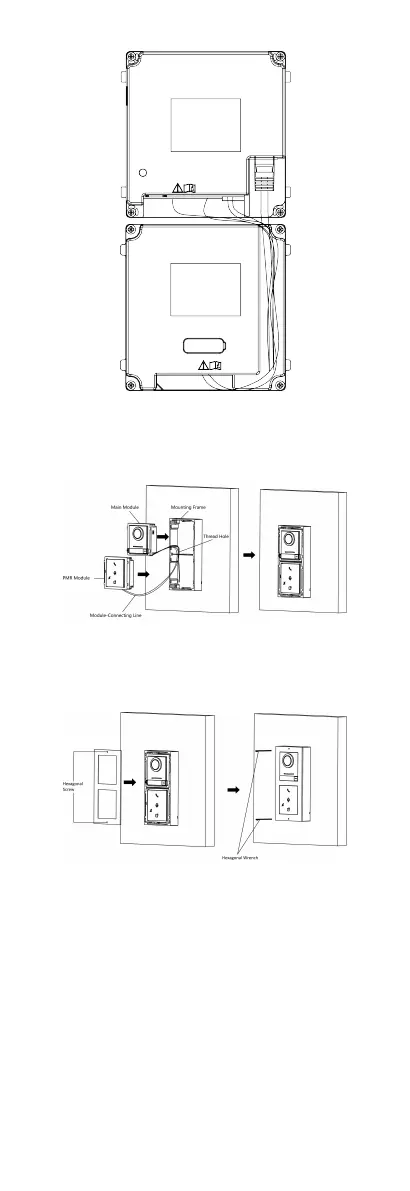
Figure 4-6 Line Connecon Eect Picture
7. Insert the modules into the frame aer wiring. The main unit
must be placed in the top grid.
Figure 4-7 Insert the Modules
8. Use the hexagon wrench in the package to x the cover onto
the frame.
Figure 4-8 Fix the Cover
4.2.2 Two-Module Flush Mounng
16


 To Next Page
 Loading...








