Note: To use the Audio Return Channel (ARC) technology, you must connect an HDMI cable from
your amplifier HDMI ARC connector to the [HDMI ARC] connector on the TV.
Connecting a USB device to the USB port
1. Browse photos, music and movies by inserting your USB device into the [USB] port.
2. Select the Roku Media Player tile from the Home screen
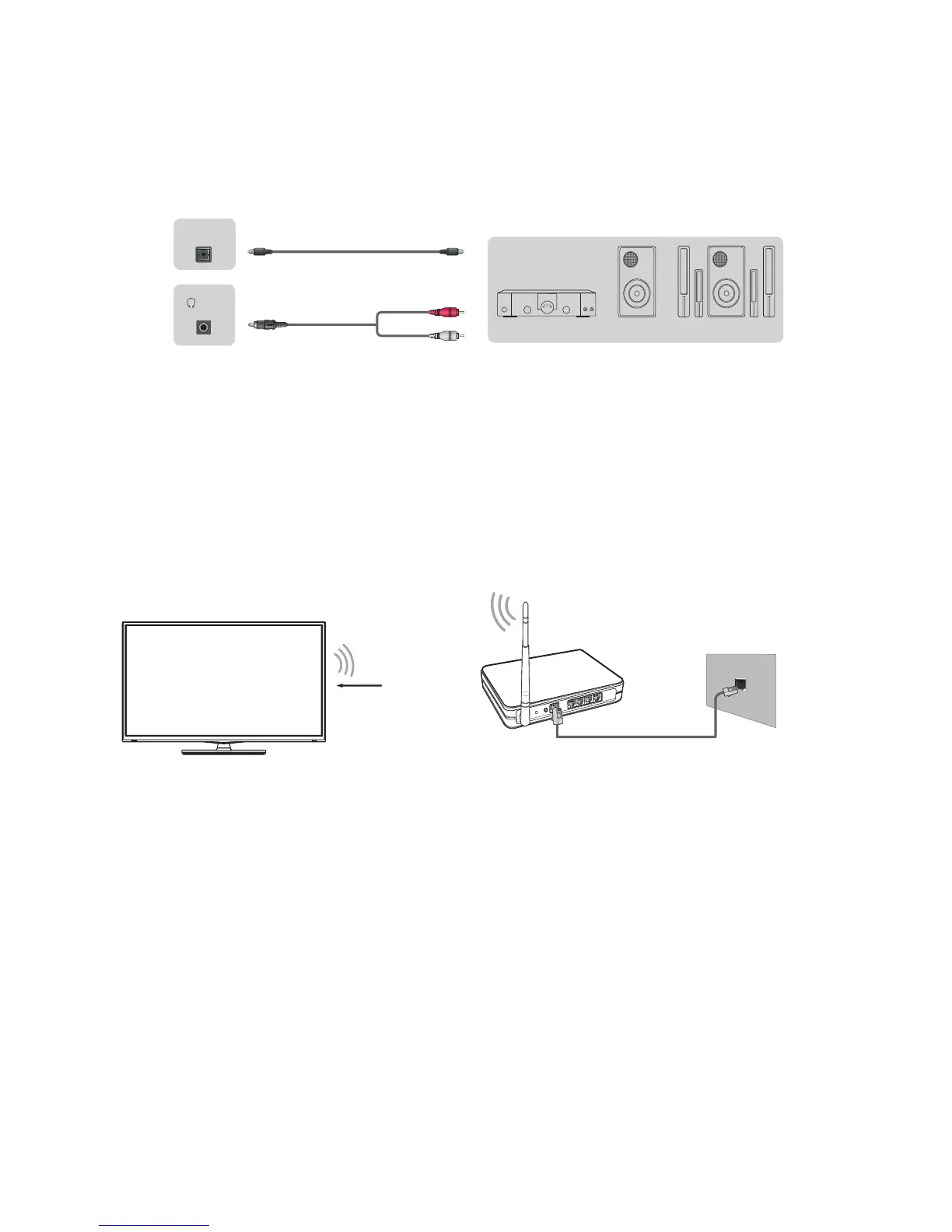
Connecting to the Internet through a wireless networking device
This section shows how to establish a wireless Internet connection for your TV.
Our built-in wireless LAN adapter supports the IEEE 802.11 b/g/n communication protocols and we
recommend that you use an IEEE 802.11n router. When you play a video over an IEEEE 802.11 b/g
connection, the video may not play smoothly.
Note
•
You must use the built-in Wireless LAN Adapter to use a wireless network because the TV does
not support an external USB network adapter.
•
To use a wireless network, your TV must be connected to a wireless IP sharer. If the wireless IP
sharer supports Dynamic Host Configuration Protocol (DHCP), your TV can use a DHCP or static
IP address to connect to the wireless network.
•
Select a channel for the wireless IP sharer that is not currently being used. If the channel set for
the wireless IP sharer is currently being used by another device nearby, this will result in
interference and communication failure.
•
If you apply a security system other than the systems listed below, it will not work with the TV.
7
TV JACKS
EXTERNAL DEVICES
Powerless
Bass Speaker
Speaker
Audio Amplier
DIGITAL
AUDIO OUT
/AUDIO
OUT
White(L)
Red(R)
Audio Cable
(not included)
Audio Cable
(not included)
Wireless IP Sharer(Router)
(with DHCP Server)
LAN Cable
Wireless LAN Adapter
built-in TV set
The LAN Port on
the Wall
(not included)


 To Next Page
 Loading...