Audio System
Digital Clock
The audio system also displays the
time. The ignition switch must be in
ACCESSORY (I) or ON (II).
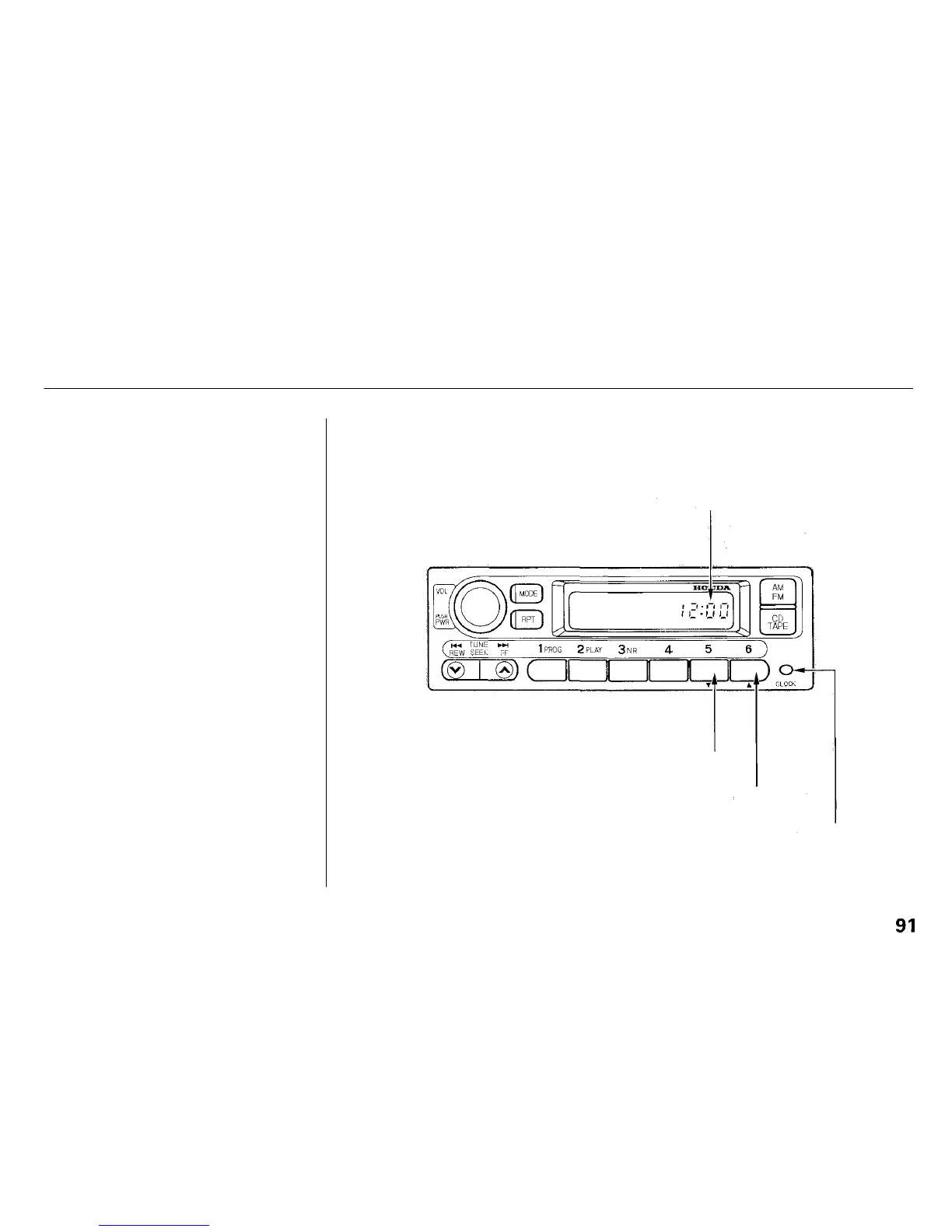
To set the time, press the CLOCK
button. The hour numbers will begin
blinking. Press the Preset 5 button to
get the numbers to count down, or
the Preset 6 button to get the hours
to count up.
Press the CLOCK button again, and
the minutes numbers will begin
blinking. Use the Preset 5 or Preset
6 button to change the minutes to
the correct value.
After you have set the clock, press
the CLOCK button again to return to
the normal display. If you do not, the
system will automatically return to
the normal display about seven
seconds after you stop pressing the
Preset buttons.
Comfort and Convenience Features
TIME DISPLAYED
PRESET 5 BUTTON
PRESET 6 BUTTON
CLOCK BUTTON


 To Next Page
 Loading...