Connecting to a local area network (LAN)
Use a LAN connection if you want to connect the computer directly to a router in your home (instead
of working wirelessly), or if you want to connect to an existing network at your office.
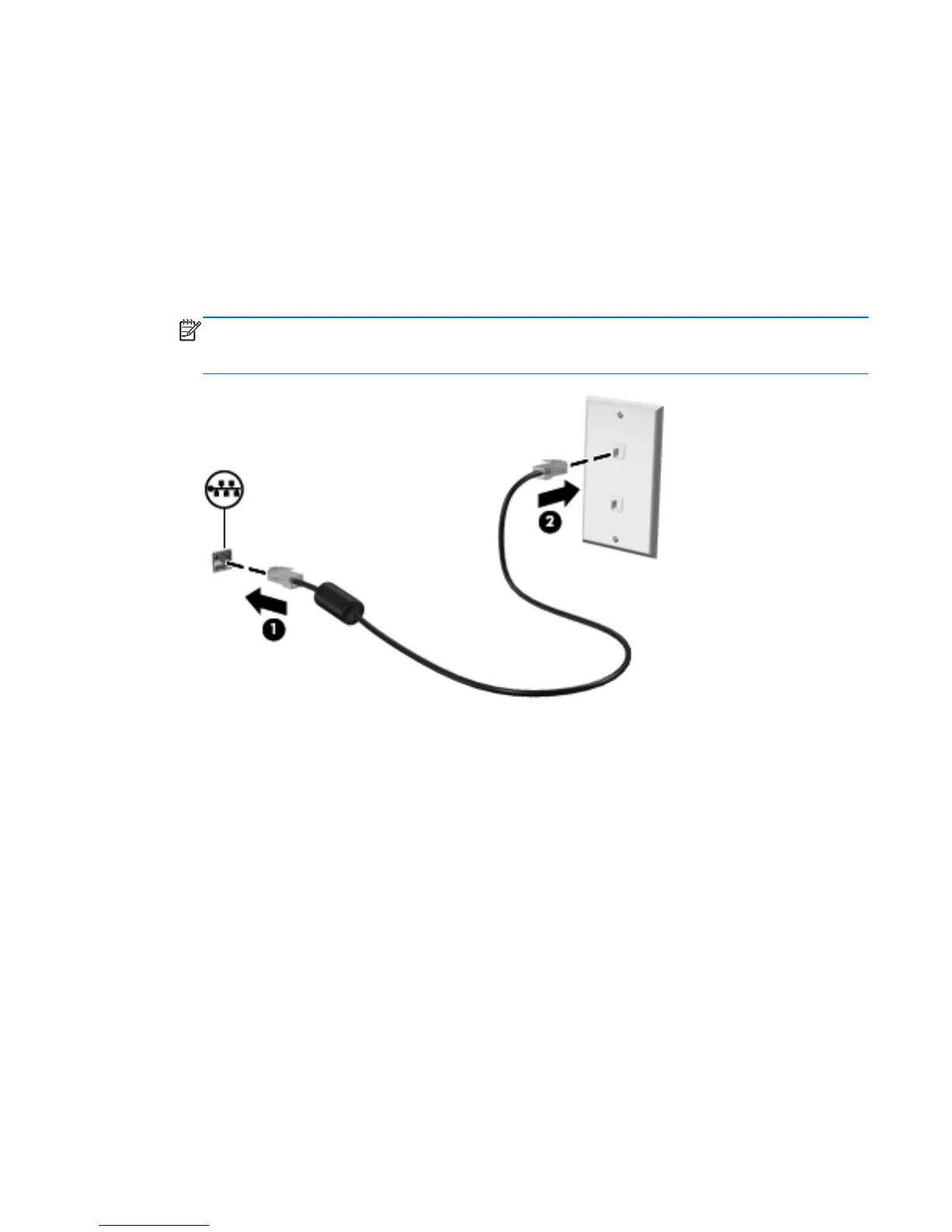
Connecting to a LAN requires an 8-pin, RJ-45 network cable.
To connect the network cable, follow these steps:
1. Plug the network cable into the network jack (1) on the computer.
2. Plug the other end of the network cable into a network wall jack (2) or router.
NOTE: If the network cable contains noise suppression circuitry (3), which prevents
interference from TV and radio reception, orient the circuitry end of the cable toward the
computer.
Connecting to a local area network (LAN) 23



 To Next Page
 Loading...