UPS2000-G-(6 kVA-20 kVA)
User Manual
Copyright © Huawei Technologies Co., Ltd.
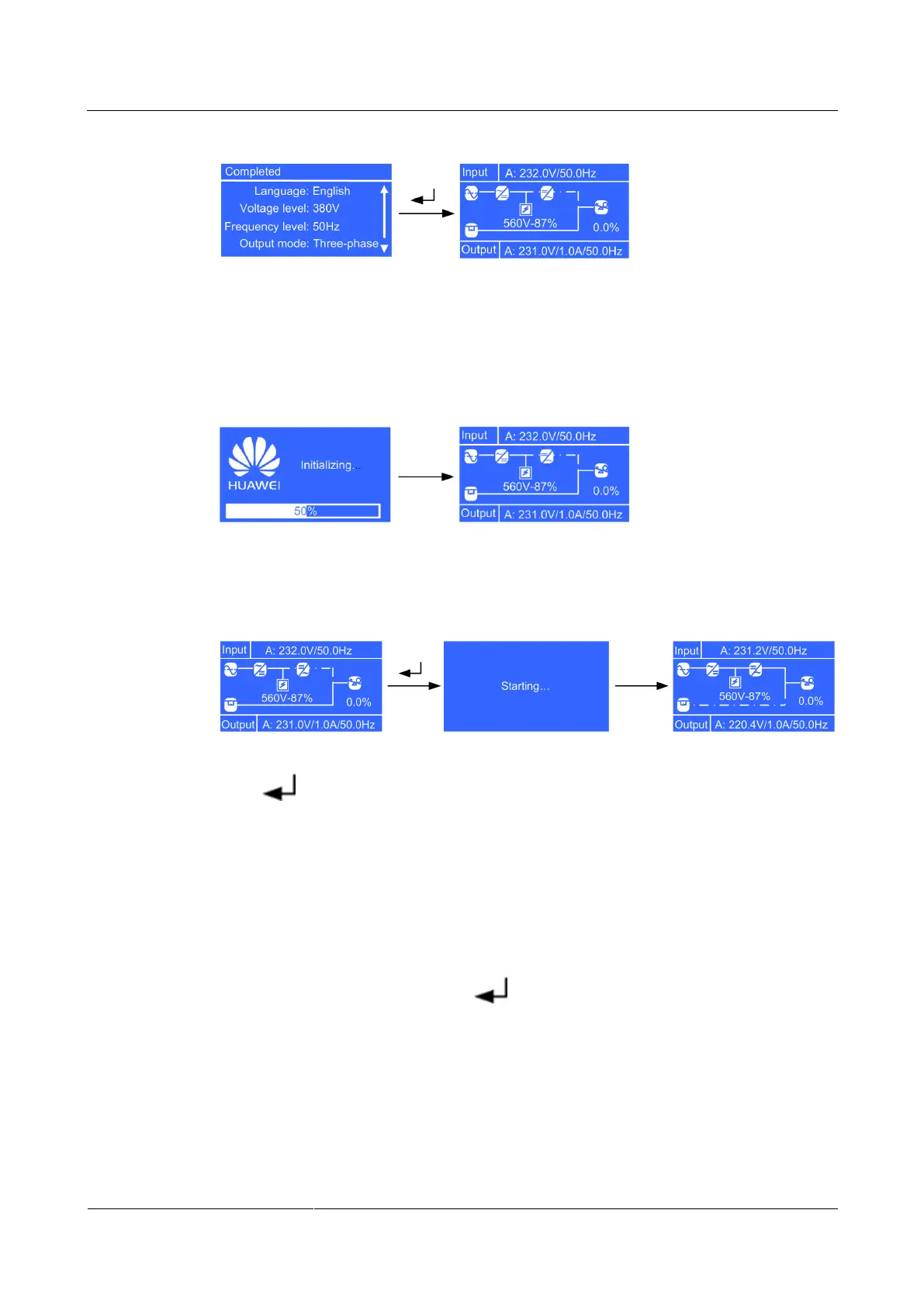
Figure 4-4 Standby screen displayed after initial startup
Non-initial Startup
When the initialization is complete, the standby screen is displayed.
Figure 4-5 Standby screen displayed after non-initial startup
After the UPS starts, it enters normal mode.
Figure 4-6 Normal mode
Press . The main menu screen is displayed.
4.5.2 Starting the UPS in Battery Mode
Initial Startup
The settings wizard starts automatically when you start the UPS for the first time or when you
restart the UPS after restoring factory settings. The settings wizard provides the Language,
System Parameters, and Battery Parameters screens.
After you complete the settings, press . The standby screen is displayed.









 To Next Page