EN 3
MasterPage: Start_Right
ENGLISH
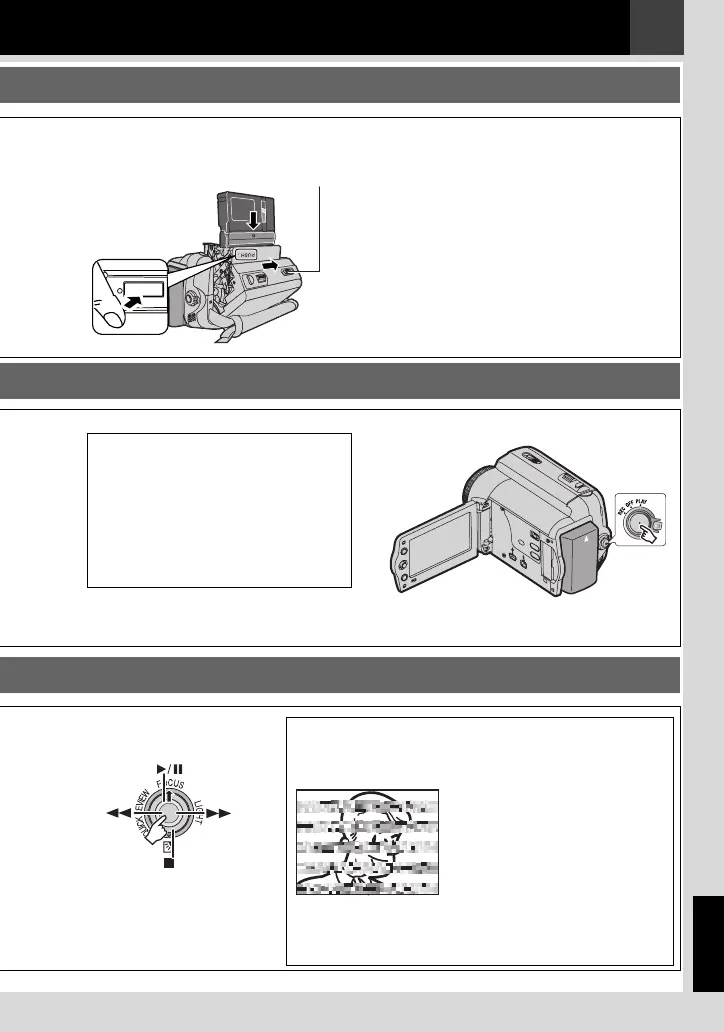
Load the cassette (墌 20).
2
2
PUSH
Make sure the window
side is facing out.
OPEN/
EJECT
Press the Recording Start/Stop button
to start recording.
Note:
● To set the date and time
(墌 21).
Notes:
● Before the actual recording of
important data, make a trial recording
and play back the recorded data to
check that the video and sound have
been recorded correctly.
● As a start, we recommend you to
use the AUTO mode setting A for
recording.
3
3
Select B/~~ to start playback
(墌 10).
3
3
Note:
● We recommend cleaning
your video heads before
use.
If you haven’t used your
camcorder for a while, the
heads may be dirty. We
recommend periodically
cleaning the video heads
with a cleaning cassette
(optional).
Note:
● To play back picture on a
connected TV
(墌 43).
GR-D820EK_GR-D860EK.book Page 3 Monday, November 19, 2007 10:15 AM


 To Next Page
 Loading...