Chapter 1. Meet your computer
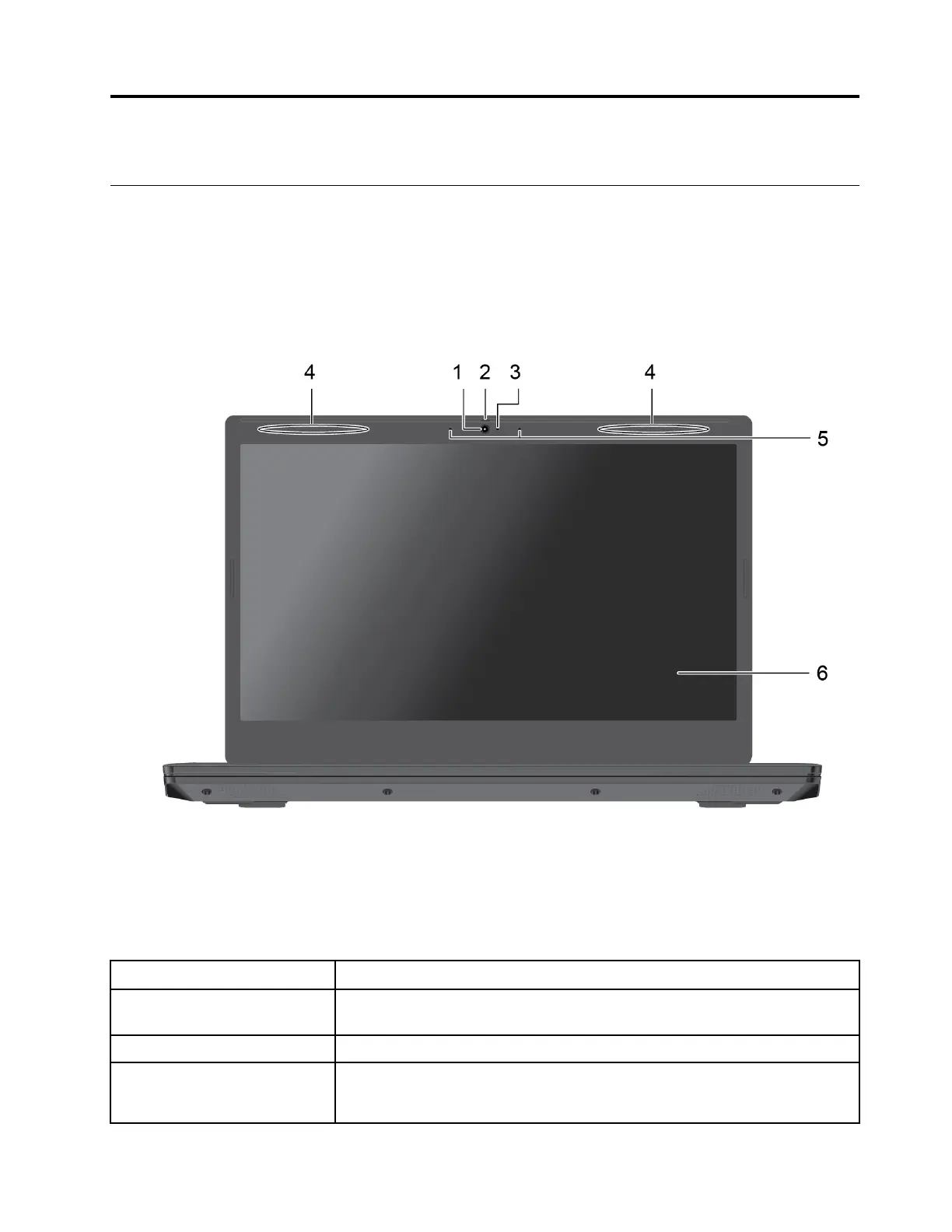
Front
1. Camera
Take pictures or record videos by clicking Camera from the Start menu.
2. Shutter
Slide the shutter to cover or uncover the camera lens. It is designed to protect
your privacy.
3. Camera indicator
If the indicator is on, the camera is in use.
4. Wireless LAN/Bluetooth
antennas
Send and receive radio waves for the wireless LAN/Bluetooth module.
Note: The antennas are not visible from outside of the computer.
© Copyright Lenovo 2018 1


 To Next Page
 Loading...