18
1.5 SIM Card
1.5.1 Inserting the SIM Card
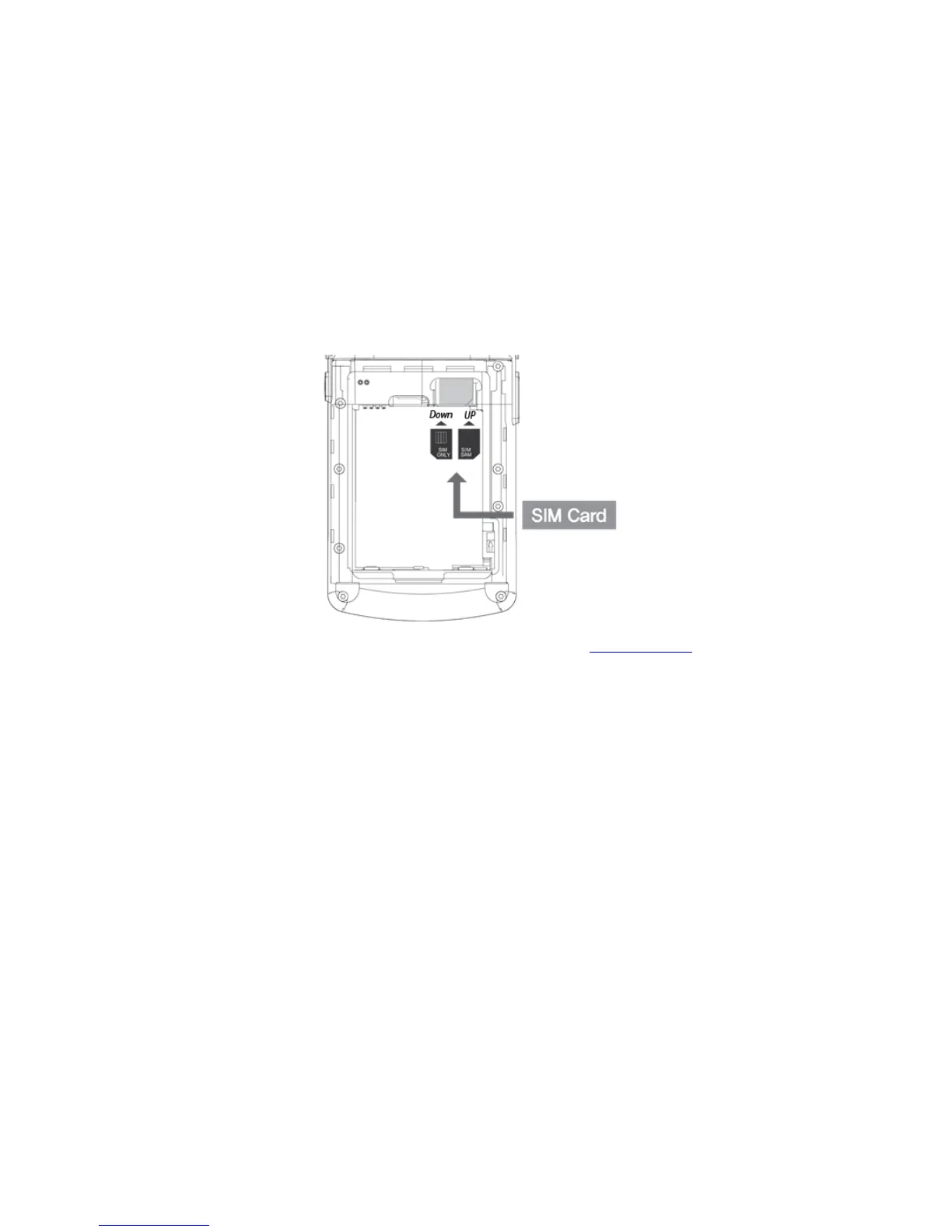
SIM card supports voice call and data transfer through mobile communications. The card should
be the one verified by a local network supplier.
To insert SIM card, Remove battery cover on the rear of the device and pull out the battery.
Either the front or back of the SIM card can be connected to dual slot.
For more information on how to use the phone, please see phone section.


 To Next Page
 Loading...