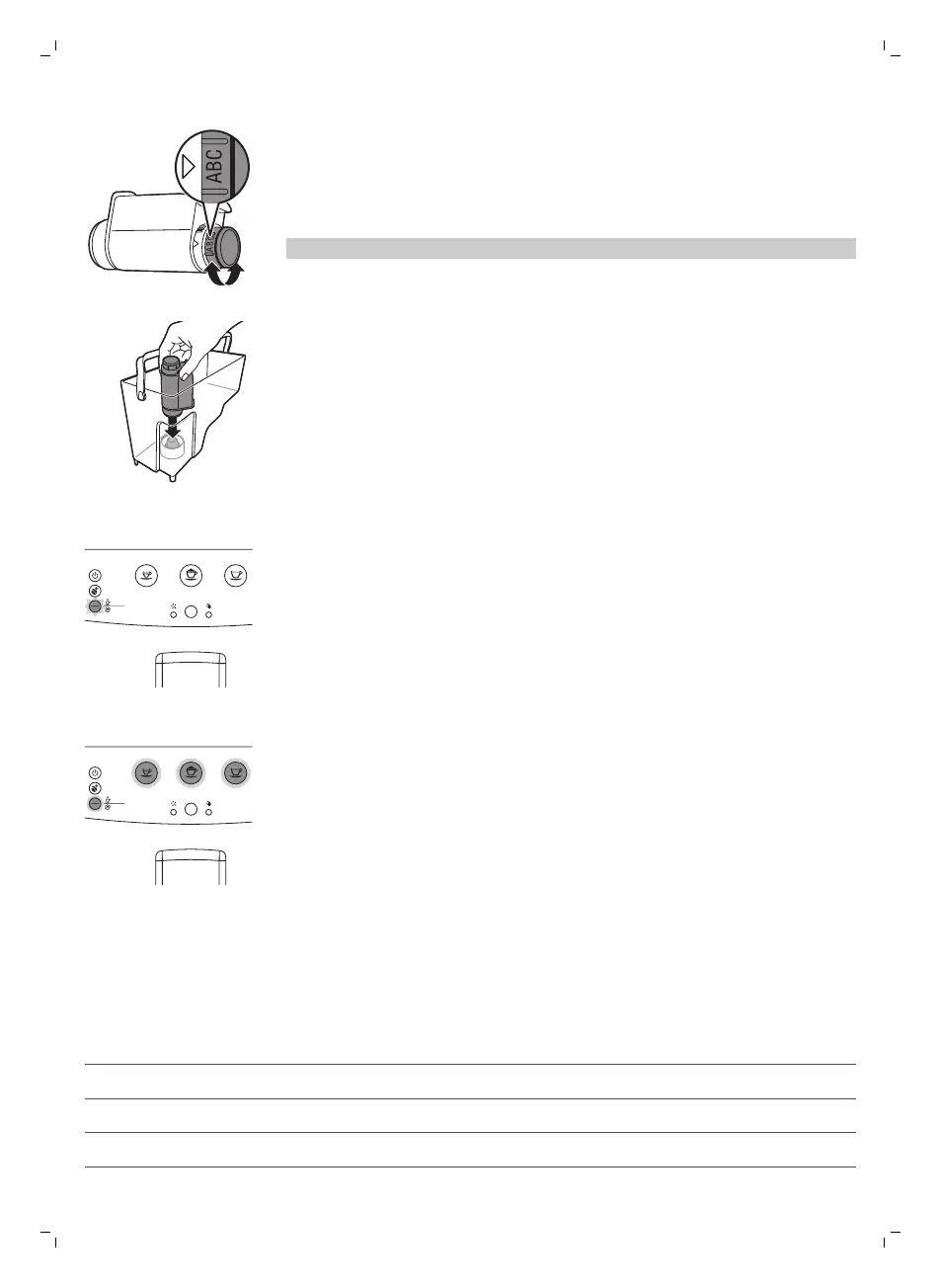
3 Turn the knob of the filter to the setting that corresponds to the water
hardness of the area you live in.
a Very soft water/ soft water
b Hard water (default)
c Very hard water
Note: You can test the water hardness with a water hardness test strip.
4 Place the filter in the empty water tank. Press it down until it cannot
move any further.
5 Fill the water tank with fresh water up to the MAX indication and slide it
into the machine.
6 Check if the ESPRESSO, CAPPUCCINO, COFFEE and HOT WATER/MILK
CLEAN buttons light up continuously.
2
1
X
X
Aroma plus
Hot water
Espresso
Memo Memo
Calc
clean
Coffee
Milk clean
Memo
Cappuccino
7 Insert the hot water dispensing spout and press the HOT WATER/MILK
CLEAN button once. The HOT WATER/MILK CLEAN button flashes.
-
Let the machine dispense hot water until the water tank is empty.
-
The no water light lights up continuously.
8 Refill the water tank with fresh water up to the MAX level and place it
back into the machine.
2
1
X
X
Aroma plus
Hot water
Espresso
Memo Memo
Calc
clean
Coffee
Milk clean
Memo
Cappuccino
-
The ESPRESSO, CAPPUCCINO, COFFEE and HOT WATER/MILK
CLEAN buttons light up continuously.
The machine is ready for use.
Using the machine
Beverage types and lengths
Beverage name
Description
Espresso Coffee with thick crema served in a small cup
Cappuccino 1/3 espresso, 1/3 hot milk and 1/3 milk foam served in a large cup
Coffee Regular cup of coffee for a larger cup
15
English


 To Next Page
 Loading...