10 |
Q.4 Synchronizing Outlook Information
Using ActiveSync, you can synchronize information on your device with information on
your PC, such as Outlook content. ActiveSync is already installed on your device, but you
need to install it on your PC if you don’t already have it. Insert the Getting Started CD into
the CD drive of your PC. Follow the instructions on the installation wizard screen to install
ActiveSync. Once installation is completed, connect the sync cable to the device and plug it
into your PC’s USB port, shown in the illustration below on the left.
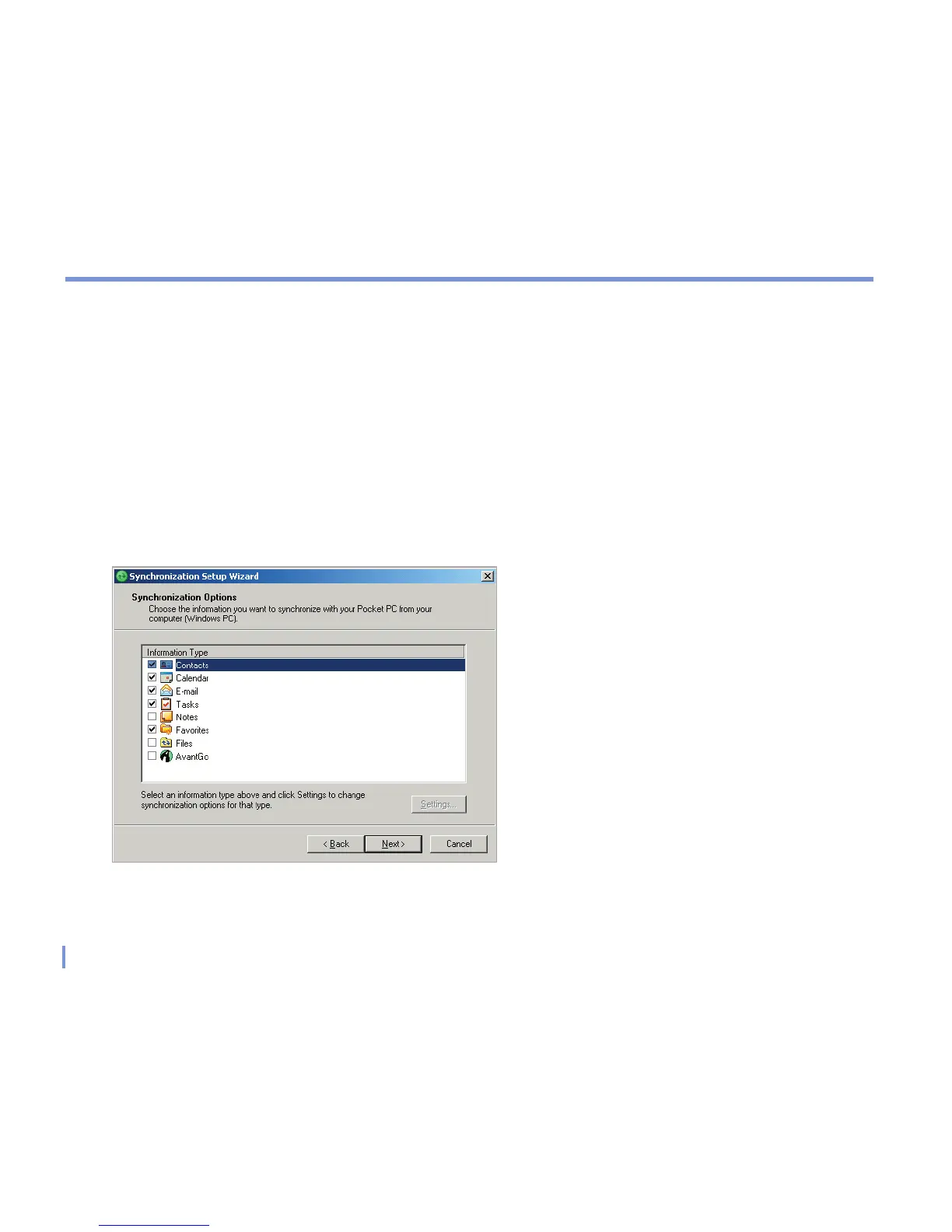
To set up a partnership between the device and the PC, turn on your device. When the PC
detects a USB connection, it starts the ActiveSync Synchronization Setup Wizard. Follow the
instructions on the screen and select the Outlook items you want to synchronize.
Synchronization Setup Wizard


 To Next Page
 Loading...
