Basic functions
17
Performing the initial setup
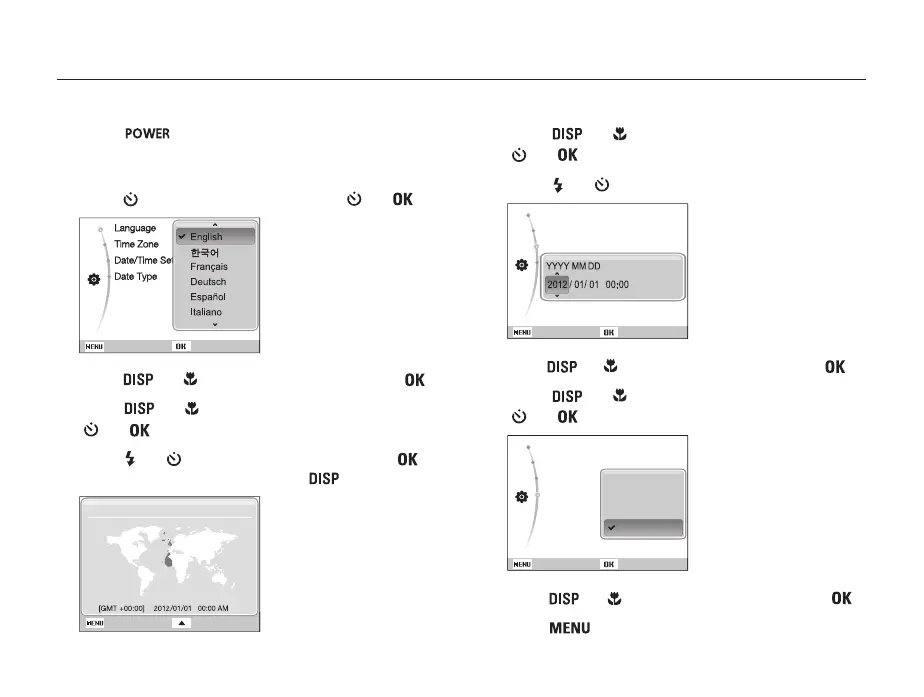
The initial setup screen appears to allow you to configure the camera's basic settings.
1
Press [ ].
• The initial setup screen appears when you turn on the camera
for the first time.
2
Press [ ] to select Language and press [ ] or [ ].
Back Set
3
Press [ ] or [ ] to select a language and press [ ].
4
Press [ ] or [ ] to scroll to Time Zone and press
[
] or [ ].
5
Press [ ] or [ ] to select a time zone and press [ ].
• To set the daylight-saving time, press [ ].
Back
London
DST
Time Zone
6
Press [ ] or [ ] to select Date/Time Set and press
[
] or [ ].
7
Press [ ] or [ ] to select an item.
Language : Eng...
Time Zone : Lon...
Date/Time Set : 12/...
Back Set
8
Press [ ] or [ ] to set the date and time and press [ ].
9
Press [ ] or [ ] to select Date Type and press
[
] or [ ].
Language : Eng...
Time Zone : Lon...
Date/Time Set
Date Type
Back Set
10
Press [ ] or [ ] to select a date format and press [ ].
11
Press [ ] to switch to the Shooting mode.
YYYY/MM/DD
MM/DD/YYYY
DD/MM/YYYY
Off


 To Next Page
 Loading...











