Basic functions
23
Taking photos
Digital zoom
If the zoom indicator is in the digital range, your camera is using
the digital zoom. The picture quality may deteriorate when you
use the digital zoom.
Digital range
Optical range
Zoom indicator
• The digital zoom is not available when you use Face Detection
options or Tracking AF option.
• If you capture a photo with the Digital zoom, the photo quality may
deteriorate.
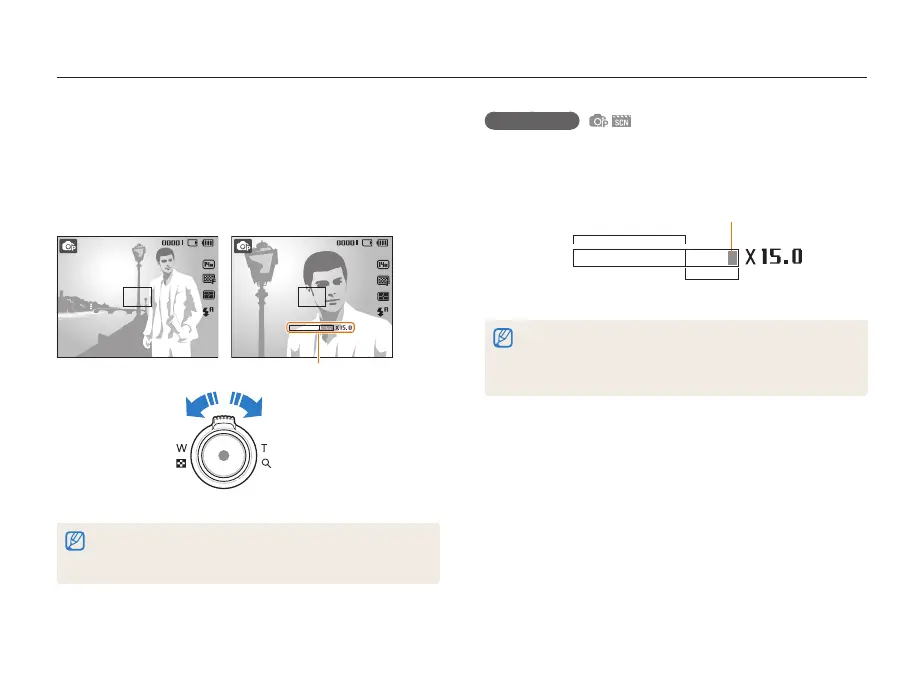
Zooming
You can shoot close-up photos by adjusting the zoom. Your
camera has a 5X optical zoom and 3X digital zoom. By using
both, you can zoom in up to 15 times.
Press [Zoom] right to zoom in on your subject. Press [Zoom] left
to zoom out.
Zoom out
Zoom in
Zoom ratio
• Zoom is not available if the focus is set to Macro.
• The zoom ratio appearing on the screen changes nonlinearly and
may differ slightly from the actual zoom ratio.


 To Next Page
 Loading...











