Shooting options
49
Using the timer
Learn how to set the timer to delay shooting.
tpASMdsv
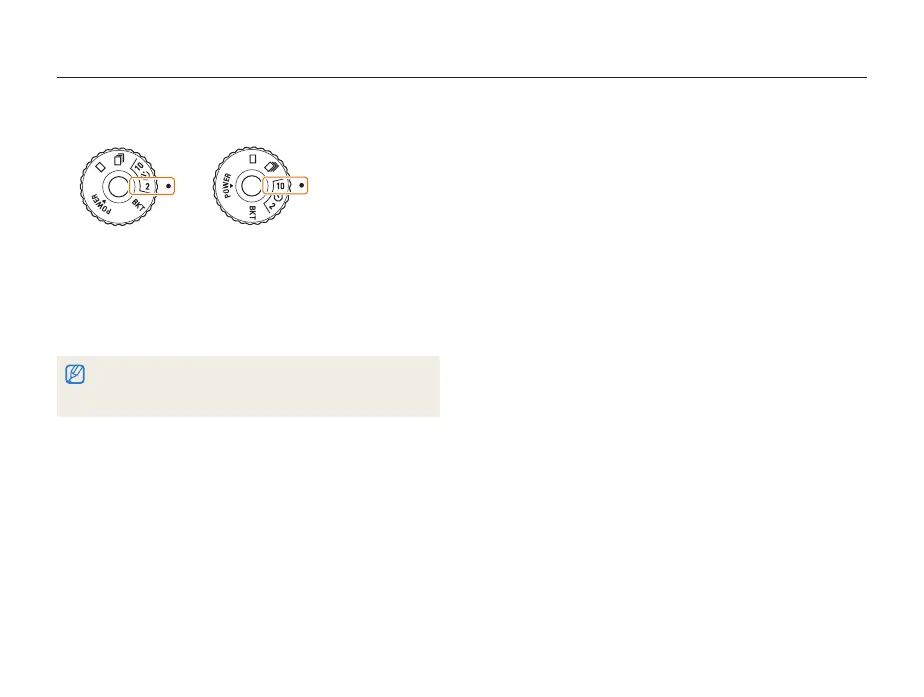
Rotate the drive mode dial to
1
[
or
]
.
Take a photo
in 2 seconds.
Take a photo
in 10 seconds.
Press [
2
Shutter] to start the timer.
The AF-assist light/timer lamp blinks. The camera will t
automatically take a photo at the specified time.
Half-press [t Shutter] to cancel the timer.
Depending on the selected face detection option, the timer is not t
available.


 To Next Page
 Loading...