41
US
Advanced operations
For the standard definition image quality
(STD) movies
[Standard ]: Standard quality, STD 9M
(HQ)
*
3
*
1
HDR-CX580V/PJ580/PJ580V/PJ600/PJ600V
*
2
The default setting
*
3
Standard image quality (STD) is fixed to this
value.
[ Frame Rate](p. 68)
Recording standard definition image quality
(STD) movie: [
/ Setting] (p. 68)
Guide for creating discs (p. 58)
Changing the image quality of
photos
The number of photos you can shoot
differs, depending on the image size
selected.
1
Select [Image Quality/
Size] [
Image Size].
2
Select the desired image size.
Notes
The image size selected with this setting takes
effect for photos taken by the Dual Capture
f
unc
tion (p. 27).
Number of recordable photos (p. 78)
Recording
information on your
location
(GPS) (HDR-
CX260V/CX580V/PJ260V/
PJ580V/PJ600V/XR260V)
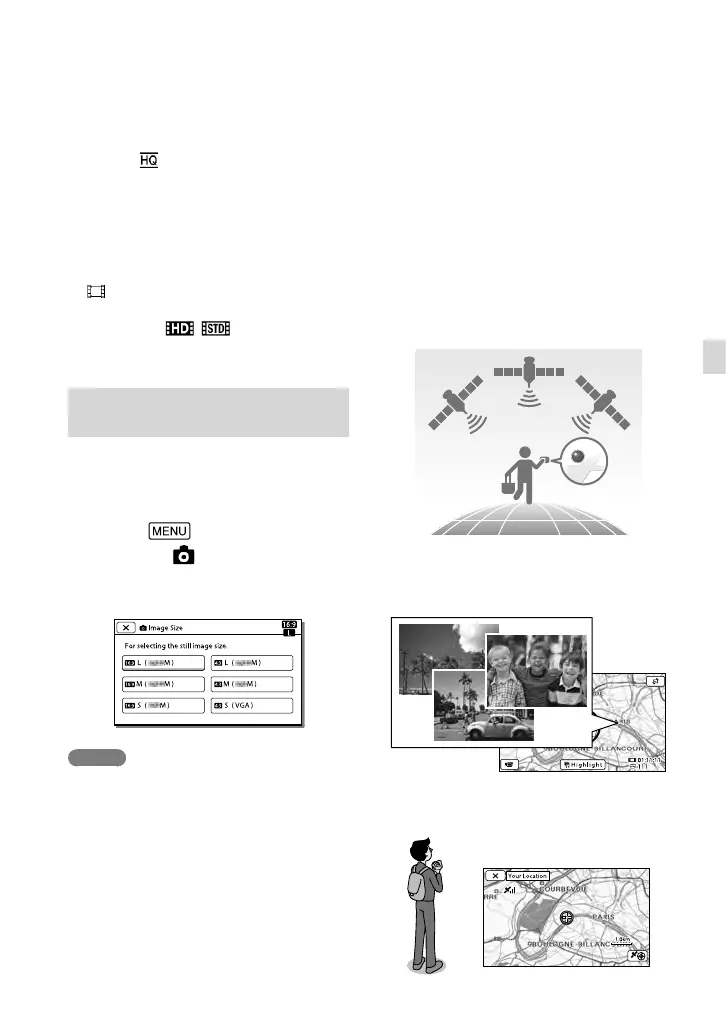
The following features are available if you
use the GPS (Global Positioning System)
function.
R
ecording location information on
mo
vies or photos ([On] is the default
setting.)
Playing movies and photos by searching
for them from a map (map view, p. 33)
Displaying a map of your current
location


 To Next Page
 Loading...