Preparing a computer
(Windows)
Step 1 Checking the computer
system
OS*
1
Microsoft Windows XP SP3*
2
/Windows Vista
SP2
*
3
/Windows 7 SP1
CPU
*
4
Intel Core Duo 1.66 GHz or faster, or Intel
Core 2 Duo 1.66 GHz or faster (Intel Core
2 Duo 2.26 GHz or faster is required when
processing FX or FH movies, and Intel Core
2 Duo 2.40 GHz or faster is required when
processing PS movies.)
How
ever, Intel Pentium III 1 GHz or faster is
sufficient for the following operations:
Importing the movies and photos to the
computer
Creating a Blu-ray disc/AVCHD
recording
disc/DVD-video (Intel Core Duo 1.66 GHz
or faster is required when creating a DVD
video by converting high definition image
quality (HD) to standard definition image
quality (STD).)
Processing only the movies with standard
definition image quality (STD)
Memory
Windows XP: 512 MB or more (1 GB or
more is recommended)
Windo
ws Vista/ Windows 7: 1 GB or more
Hard disk
Disk volume required for installation:
App
roximately 500 MB (10 GB or more
may be necessary when creating AVCHD
reco
rding discs. 50 GB maximum may be
necessary when creating Blu-ray discs.)
Display
Minimum 1,024 × 768 dots
Others
USB port (this must be provided as standard,
Hi-Speed USB (USB 2.0 compatible)), Blu-ray
disc/DVD burner
Either NTFS or exFAT file system is
recommended as the hard disk file system.
*
1
Standard installation is required. Operation is
not assured if the OS has been upgraded or in a
multi-boot environment.
*
2
64-bit editions and Starter (Edition) are not
supported. Windows Image Mastering API
(IMAPI) Ver.2.0 or newer is required to use disc
creation function, etc.
*
3
Starter (Edition) is not supported.
*
4
Faster processor is recommended.
Notes
Operation with all computer environments is
not assured.
Step 2 Installing the built-in
“PlayMemories Home” software
1
Turn on the computer.
Log on as an Administrator for
installation.
Close all applications running on the
computer before installing the software.
2
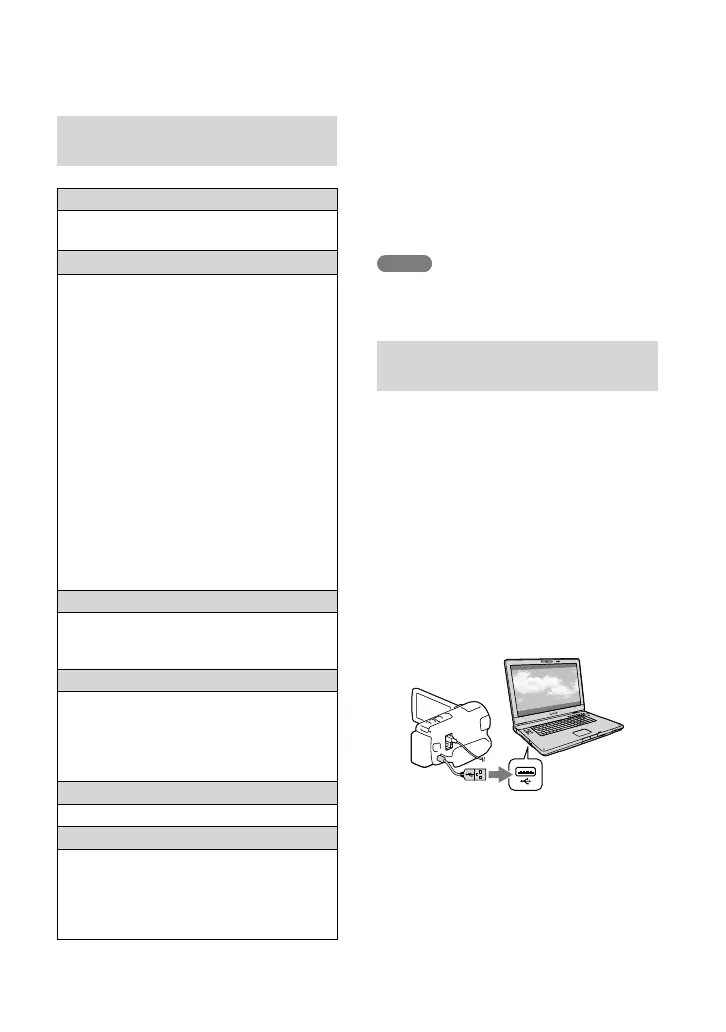
Connect the camcorder to the
computer using the Built-in
USB Cable, then select [USB
Connect] on the LCD screen of
the camcorder.
When using Windows 7: The Device Stage
window opens.
When using Windows XP/Windows Vista:
The AutoPlay wizard is displayed.
3
On Windows 7, select
[PlayMemories Home] on
the Device Stage window.
On Windows XP/Windows


 To Next Page
 Loading...