12
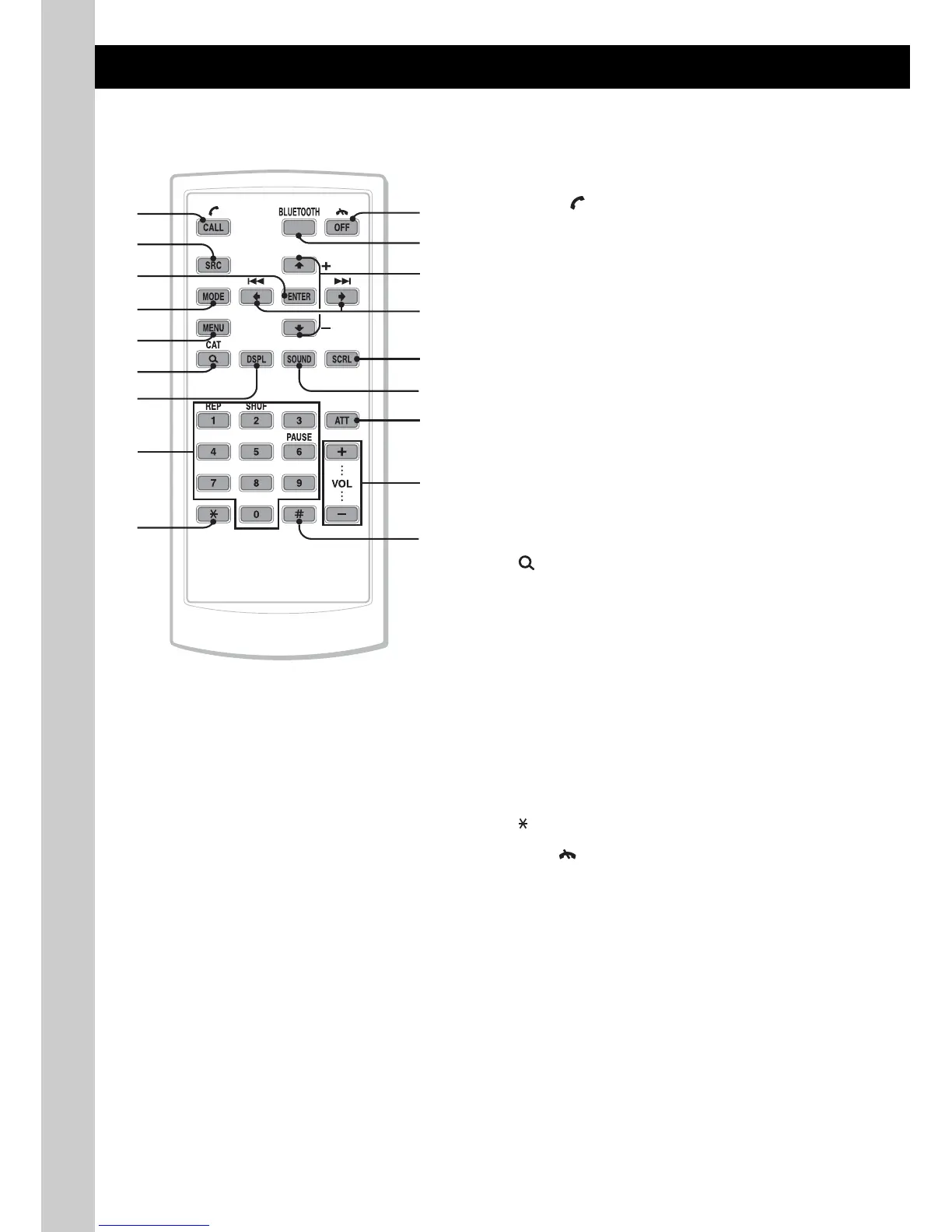
Card remote commander
RM-X306
Some of the following buttons on the card remote
commander have different functions, or are
different from the unit. Remove the insulation
film before use (page 8).
A CALL/ (handsfree) button page 25
Bluetooth phone:
To enter the CALL menu; receive a call.
B SOURCE button
To power on; change the source (Radio/CD/
USB/AUX/Bluetooth audio/Bluetooth
phone)*
1
.
C ENTER button
To apply a setting.
D MODE button
Press to: Select the radio band (FM/AM)*
1
/
select the play mode of iPod.
Press and hold to: Enter/cancel the passenger
control.
E MENU button
To enter menu.
F (LIST/BROWSE)/CAT*
2
button
To list up (Radio); enter the Quick-BrowZer
mode (CD/USB).
Bluetooth phone:
To enter the Phonebook Access menu.
G DSPL (display) button
To change display items
H Number buttons page 23, 26
To input numbers (phone number, passcode,
etc.).
Buttons 1 to 6 share the same functions as
the number buttons on the unit.
I button page 26
J OFF/ (end call) button page 26
To power off; stop the source; end or reject a
call.
K BLUETOOTH button
To enter the Bluetooth Setting menu.
L M (+)/m (–) buttons
To control CD/USB/Bluetooth Audio, the
same as (3)/(4) (ALBUM –/+) on the unit.
Setup, sound setting, etc., can be operated by
M m.
qd
qs
qf
qh
qj
qg
qk
2
3
4
1
5
6
9
7
8
0
qa


 To Next Page
 Loading...